How to capture fireworks with your phone
You have been following DSLR instructions your phone can't run. Here is the phone-native way to actually catch fireworks, plus the one manual button that finally nails the trail.


Every Fourth of July, I try to get the perfect shot of a firework. Why? I have no idea. Am I going to look at it later? Maybe. (Probably not.) But every year I stand out there and try anyway.
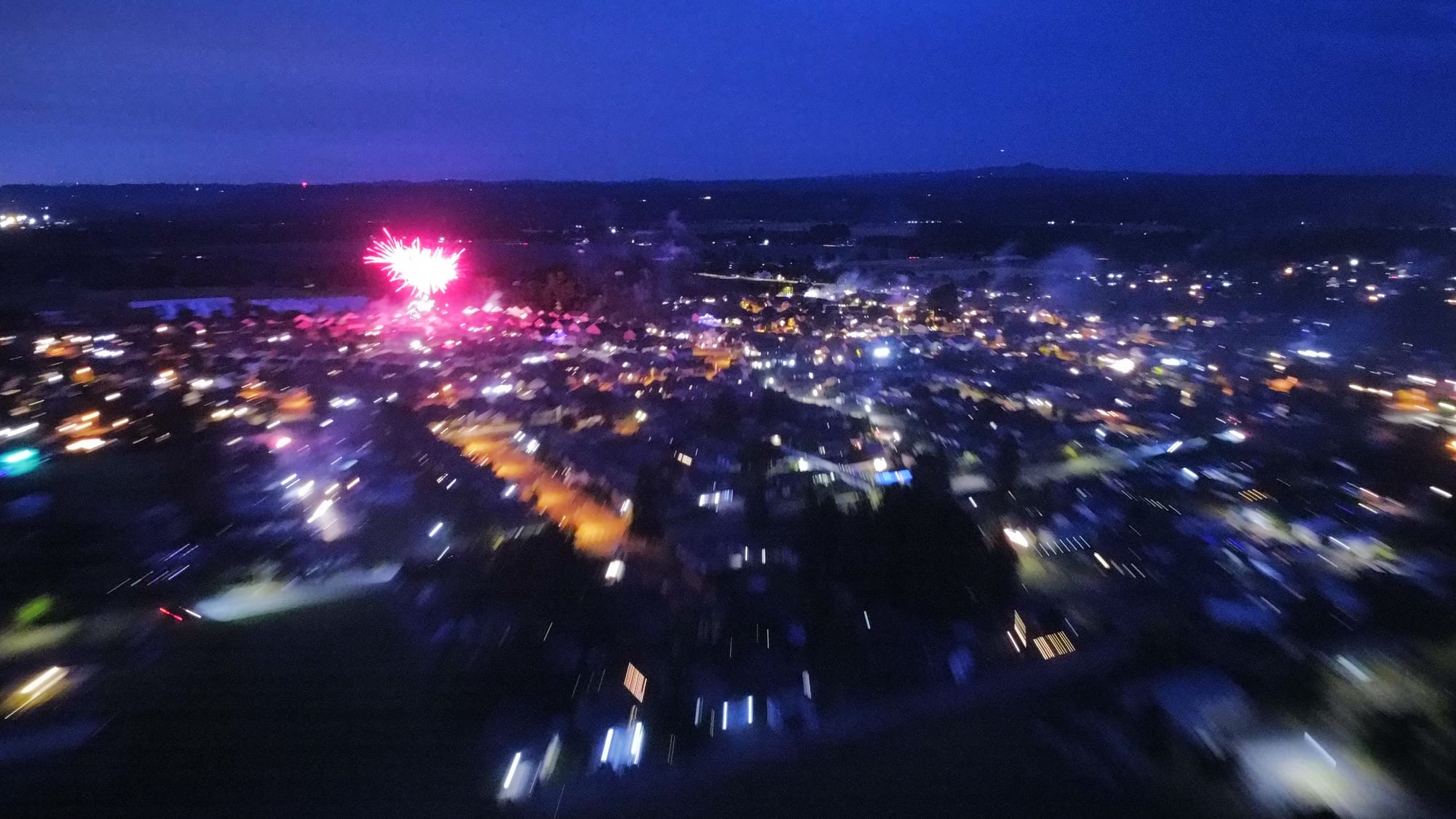
I used to have a nice large field right in front of my house. For years, every Fourth, I have gone out there to watch the fireworks go off, and it is always spectacular. Fireworks in every direction. A couple of those years I brought my drone out, a little DJI Mini, and flew it as high as it would go, hoping for something incredible.
The footage was beautiful. It looks like the view from an airplane window, where everything below turns small and peaceful and a little surreal. You get the curve of the horizon, and then little flare trails of fireworks popping up all across it, dozens of people setting them off without realizing how close they are to each other.
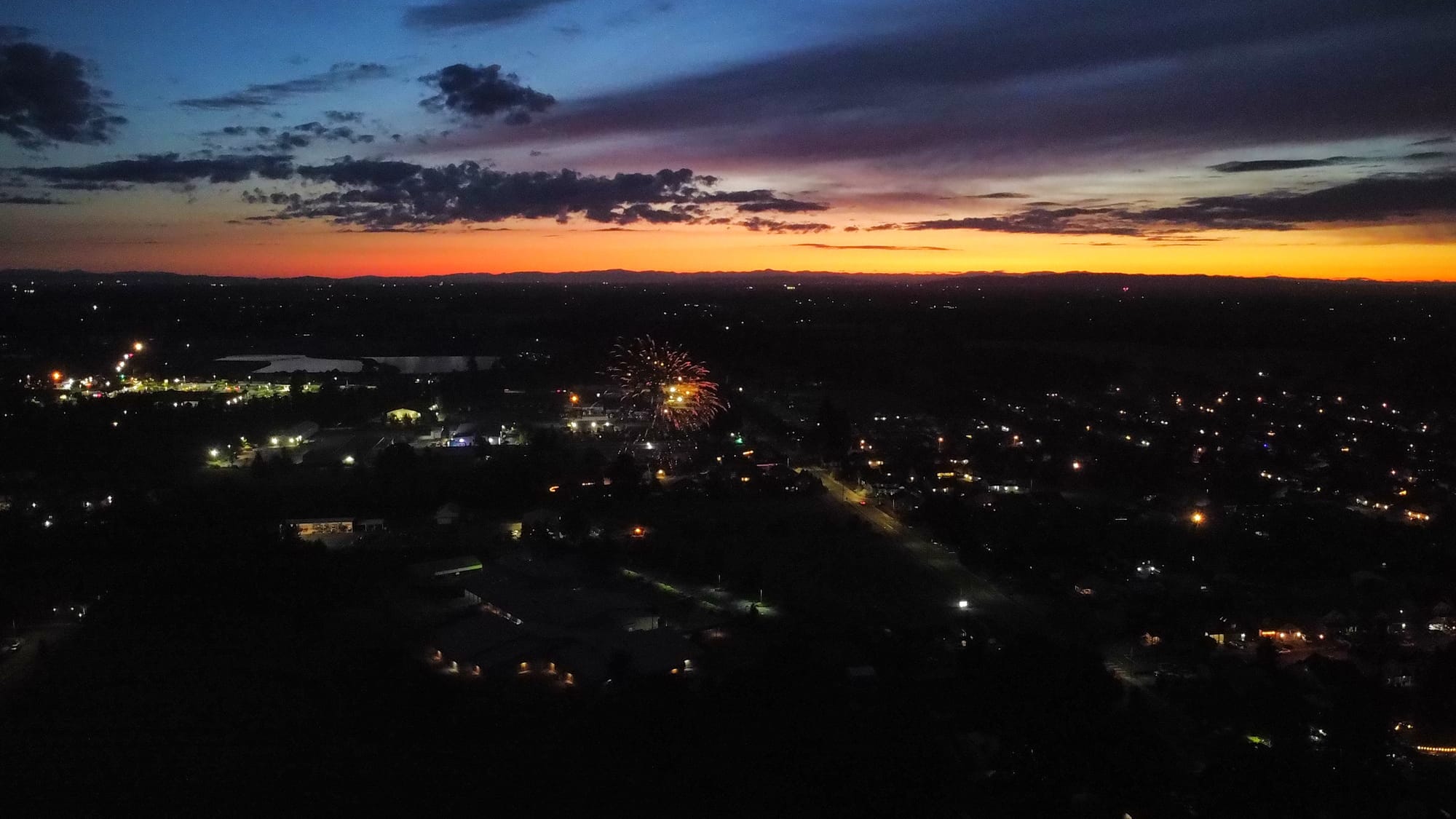
But it still was not the shot. I have never gotten the firework photo I actually wanted. Mine come out blurry, too bright, too dark, just bad. I know phones have incredible cameras now, some people upgrade for just that. So what gives? Why can't I easily take a good firework photo with the phone in my pocket?
It's not you
Here is what I found out, and it was kind of a relief: I was not doing it wrong, and neither are you.
Google, Samsung, and Apple spend their whole ad budgets telling you the camera is the best part of the phone. Apple even bragged about a movie shot entirely on an iPhone. So when the fireworks start, you would think the expensive computer in your hand could keep up. When it can't, you assume you are doing something wrong.
You are not. Almost every fireworks guide online hands you instructions written for a real camera: switch to manual, set the shutter to a few seconds. Most phones can't do that in the camera app they ship with, and the few that can bury it three menus deep. You have been following directions for something your phone might not do.
The answer isn't just better camera gear. It just comes down to a few habits and one button you have probably never tapped.
Five ways to get the shot
Five habits, in order. No new camera gear required.
1. Hold the phone completely still. In the dark, the phone holds the shutter open longer to soak up light, so the smallest shake smears the whole shot. Prop it on a railing, a car roof, a bag, anything solid. No prop? Tuck your elbows into your sides and breathe out as you tap. This habit fixes more bad firework photos than every setting combined.
2. Turn the flash off. It lights up nothing a hundred feet away, and it adds a delay that makes you miss the burst. It is probably already off or set to auto, but check it anyway so it can't fire at the wrong moment. Tap the flash icon until it shows off.
3. Tell the phone it is dark, then lock it in. Left alone, your phone brightens the black sky to "fix" it, so the firework blows out to a white blob with no color. You want the opposite: darken the shot, then stop the phone from changing its mind. Three quick moves:
- Aim and lock. Tap the spot where the bursts are going off, then press and hold it until the focus ring turns yellow. That locks focus so it won't drift.
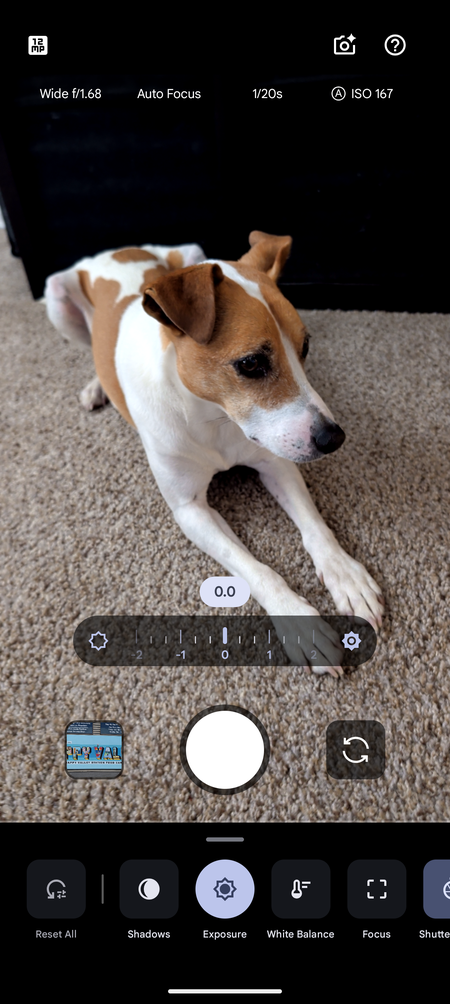
- Pull the exposure down. Drag the exposure control until the preview looks almost too dark. On an iPhone or Samsung, a little sun slider appears right where you tapped. On a Pixel it is tucked away: tap the controls icon in the bottom-right corner and drag Exposure (flip on Quick access controls in the camera settings if you want it to appear on every tap, since Google ships it off).
- Leave it there. Locked focus plus a darkened sky is the combination almost nobody finds, and it is what keeps a burst sharp and full of color instead of white and washed out.
4. Frame wide and leave room up top. You can't predict where a burst will open, so a wide shot catches it. Put something solid along the bottom, a treeline, the crowd, the skyline, water if you have it, and leave the top two-thirds for the sky. A burst floating in pure black looks like a screensaver; a burst over your town looks like a photo. And do not pinch to zoom, it turns everything to mush. Crop it later instead.
5. Fire on the launch and take way too many. A shell takes a second or two to bloom, so tap when you see it climb, not when it peaks. Then keep shooting. Most frames will miss, and that is fine. The grand finale looks the best to your eyes and photographs the worst, too much smoke and light at once, so your keepers usually come from the middle of the show.
Long Exposure
This is the setting I never experimented with. Your phone almost certainly has a mode built for exactly this, a long exposure that holds the shutter open and paints the firework's trail across the frame for you. You do not set anything. You just tap.
On my Pixel (and most Androids that have something like it): open the camera and swipe the mode strip over to Long Exposure (it sits right next to Action Pan). Frame it, hold still, and tap as a burst goes up.
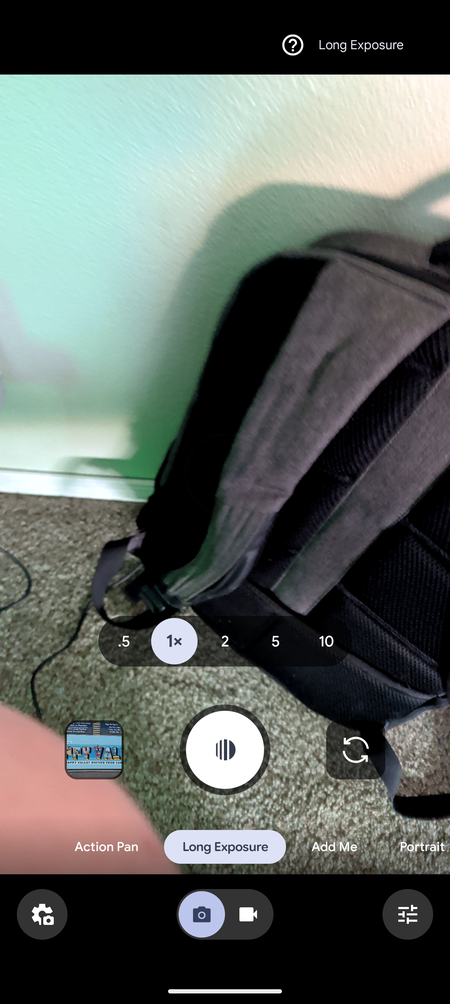
The Pixel even saves a normal version of the shot next to the long-exposure one, so one tap gives you two tries and it is hard to come away with nothing.
On an iPhone: the closest built-in trick is Night mode, which switches on by itself in the dark (the moon icon turns yellow). Tap it and slide the timer up to a few seconds, then hold still. There is also a fun one: shoot with Live Photo on, then open the shot in Photos, tap the Live label in the corner, and choose Long Exposure for the streaked look. It is hit or miss on fireworks, but it costs nothing to try.
On other Androids, the wording changes but the idea is there:
| Phone | Easy one-tap mode | Where the trail control lives |
|---|---|---|
| Samsung Galaxy | Night mode (turns on automatically) | More > Pro > Shutter speed |
| OnePlus | Nightscape (automatic) | More > Long Exposure > Light painting |
| Xiaomi / Redmi / Poco | Night mode (automatic) | More > Long Exposure > Neon trails or Light painting |
| Motorola | Night Vision (moon icon, automatic) | no true long exposure built in (see below) |
These easy modes usually fake the long exposure by stacking several photos into one, which is why fireworks sometimes come out a little stuttered. It still looks good. It is just not a true open shutter.
Pro-mode (optional)
Skip this if the one-tap mode is already giving you what you want. But if your phone has a Pro or Manual mode, you can control the trail yourself.
On my Pixel 10 Pro, I open the camera controls, tap Shutter Speed, and set it somewhere between 1 and 4 seconds. One to two seconds gives tight, defined bursts; three to four gives long, layered trails. Then I drop the ISO low (around 100), lock the focus out at the distance, and pull the exposure down so the sky stays black.
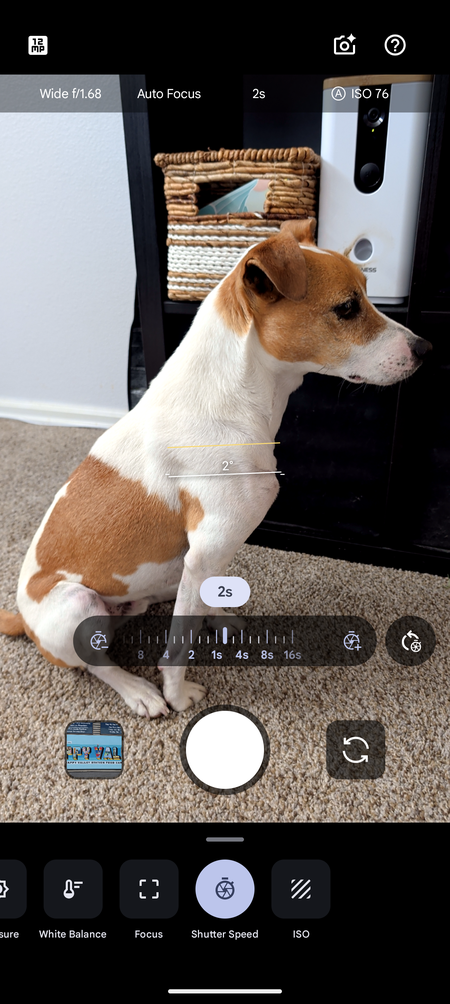
You need a tripod or a solid surface for this, because a two-second shot held in your hand will always smear.
Same idea on a Samsung (More > Pro), a OnePlus, or a Xiaomi (Pro mode): find the shutter speed, set it to a second or two, keep the ISO low, prop it up. One catch: Motorola's built-in Pro mode won't slow the shutter past about a quarter second, nowhere near the one or two seconds you need, so on a Moto you would need a separate camera app to get real trails.
Why your old shots came out bad
Now you can see what was going wrong. On full auto, the phone brightened the sky and blew the bursts out to white. The focus hunted in the dark and landed on nothing. Pinch-zoom turned the bursts to paste. And handheld, in the dark, everything shook. So if those old shots felt like your fault, they weren't. The phone was guessing, confidently.
Good all year round
Once you have this, fireworks are just the start. The same setup, dark scene, long exposure, steady phone, turns a sparkler into glowing handwriting, makes light trails out of passing traffic, and turns a flashlight into a paintbrush. It is a good rainy-night thing to mess around with, and it is how you practice before the Fourth so you are not fumbling with menus during the show. (It works for video too, but that is a whole other article.)
Always learning
I am not a photography expert. The real photography buffs are probably reading this and wincing. This is something I have struggled with for years and actually wanted to solve, so I am learning it right alongside you, not handing it down from on high.
This section is going to grow. As I keep testing this, I will add what worked, what flopped, and what surprised me, with the actual shots. Hint: if you come back and this article has new firework photos in it, that means I finally got one I am proud of. If it doesn't, well, there is always next year.
June 23, 2026: the indoor test, and the moment the easy mode let me down. As I was researching the article, I had to give this a try. So I ran the experiment in a dark room with a flashlight standing in for a firework. It did not go the way I expected, which was a useful learning experience.
First I just got blur. Smeared, doubled light, nothing like a trail. That one was on me: the phone was moving instead of the light. Setting a three-second timer and tapping to lock focus before the shot fixed it, because my hands were off the phone while it ran.
I also had the direction wrong. For a light trail, the camera has to see the light source, not a lit-up wall. So you point the light at the lens and move the light while the phone stays still.
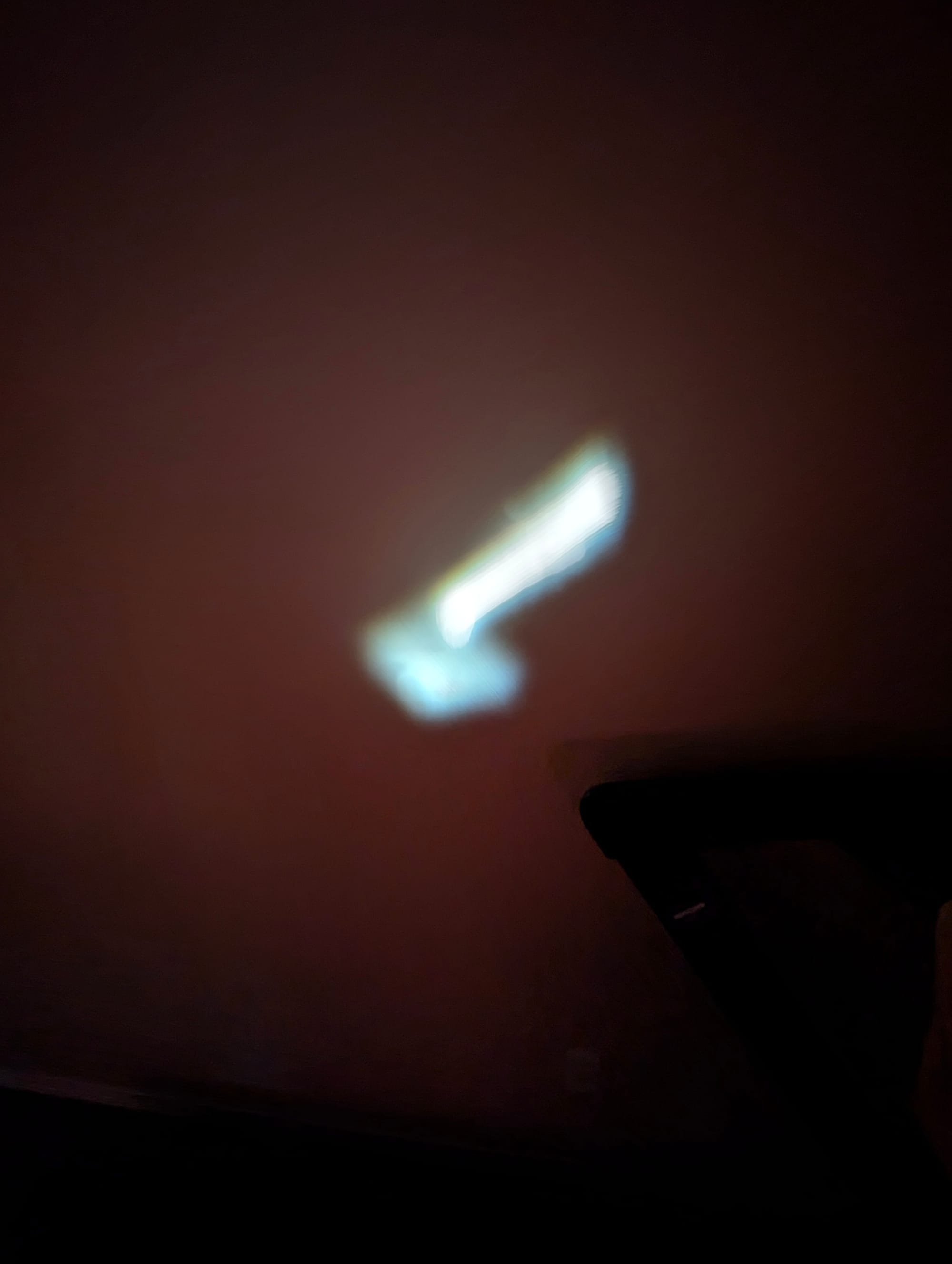
The trouble started when I tried to draw with the light on Long Exposure mode. The trail kept disappearing. I discovered the Pixel's Long Exposure is not a true open shutter. It records for a few seconds, then an algorithm decides what counts as a "real" moving light and blends the rest away.
A dim flashlight in a dark room seems like noise, so the phone wipes it out. My best try came back as a muddy, half-lit photo of me holding the light, no trail at all.
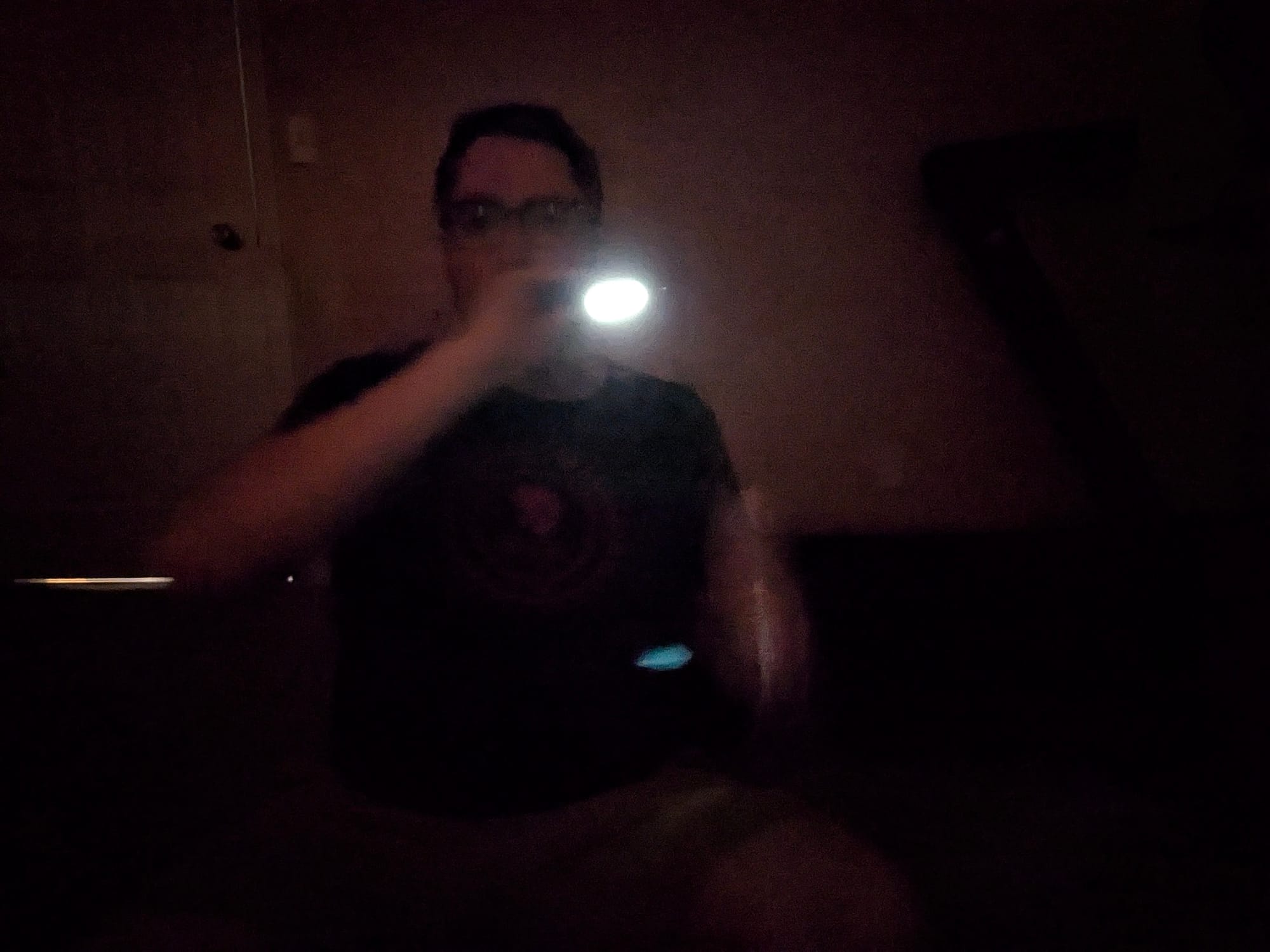
The real trail came from turning Long Exposure off and taking over the shutter controls by hand.
Open Photo mode, Pro Controls, Shutter Speed. Set it at two seconds (see above). Make sure you have the timer on, focus locked, light aimed at the lens.
I waved the flashlight like a madman and the camera drew the entire path as one continuous line. I was standing pretty close to the lens, and it still came out clean.

So here is the first thing I would tell you before the Fourth of July. The one-tap mode is genuinely great when there is light to work with, and on a base Pixel, Night mode may be all you ever need. But on a dim or distant subject it can give up, and you will think you broke it. You didn't, the phone just stopped recording what it could not make sense of. If your camera has a Pro or Manual mode, that is your backup.
The real reason to get the shot
It's not about getting the perfect shot to post on social media or brag about. The real reason you might want to get the perfect shot is to bring you back to that moment in time. The fun, the excitement, the thrill in the moment you hear the boom and wait for the lights to appear. When you look back on photos like that, they help bring those memories to the foreground. Why not have a photo that looks as good as it is special?
Got a firework shot you are proud of, or one that came out hilariously bad? Reply and send it to me at joel@freshfromcache.com. I want to see both.
And while your camera is pointed at the sky, plenty of cameras are pointed back at you, some with no blinking light to warn you. If that is the rabbit hole you want next: Are those smart glasses recording you? How to tell.
Sources
- A hands-on guide built on my own testing; the methods use built-in phone camera features.
- Google Pixel Camera Help, on Motion mode and Long Exposure: support.google.com.
- Apple Support documents Night mode and Long Exposure for the iPhone Camera and Photos apps; Samsung, OnePlus, Xiaomi, and Motorola document their own Night and Pro modes in their camera help.