I lost ten years of photos. Now I print a photo book every January.
Half an hour in January, and a printed book of your whole year shows up at your door. I started because I lost a decade of pictures.


Somewhere between 2005 and 2015, I lost most of my photos. Not in one dramatic crash. They fell away a few at a time. A phone got replaced. A memory card went in a drawer and never came out. A site I'd uploaded them to changed hands or shut down. Back then there was no set-it-and-forget-it way to keep digital pictures. Keeping them was a chore you had to remember to do, and I didn't always remember. I often wish I had pictures from that period of my life. They're just gone.
About a decade ago I decided that was the last decade I'd lose. I turned on automatic photo backup with Google Photos (I was on Android, so it was the obvious choice), and every picture I've taken since has been saved without me thinking about it.
That part is a backup story, and I've written about backups before. This is the fun part. That same backup gave me a tradition I've kept ever since: every January, I turn the previous year into a printed photo book. It shows up at my door about a week later. The whole thing takes me 30 to 40 minutes on the couch.
The shelf
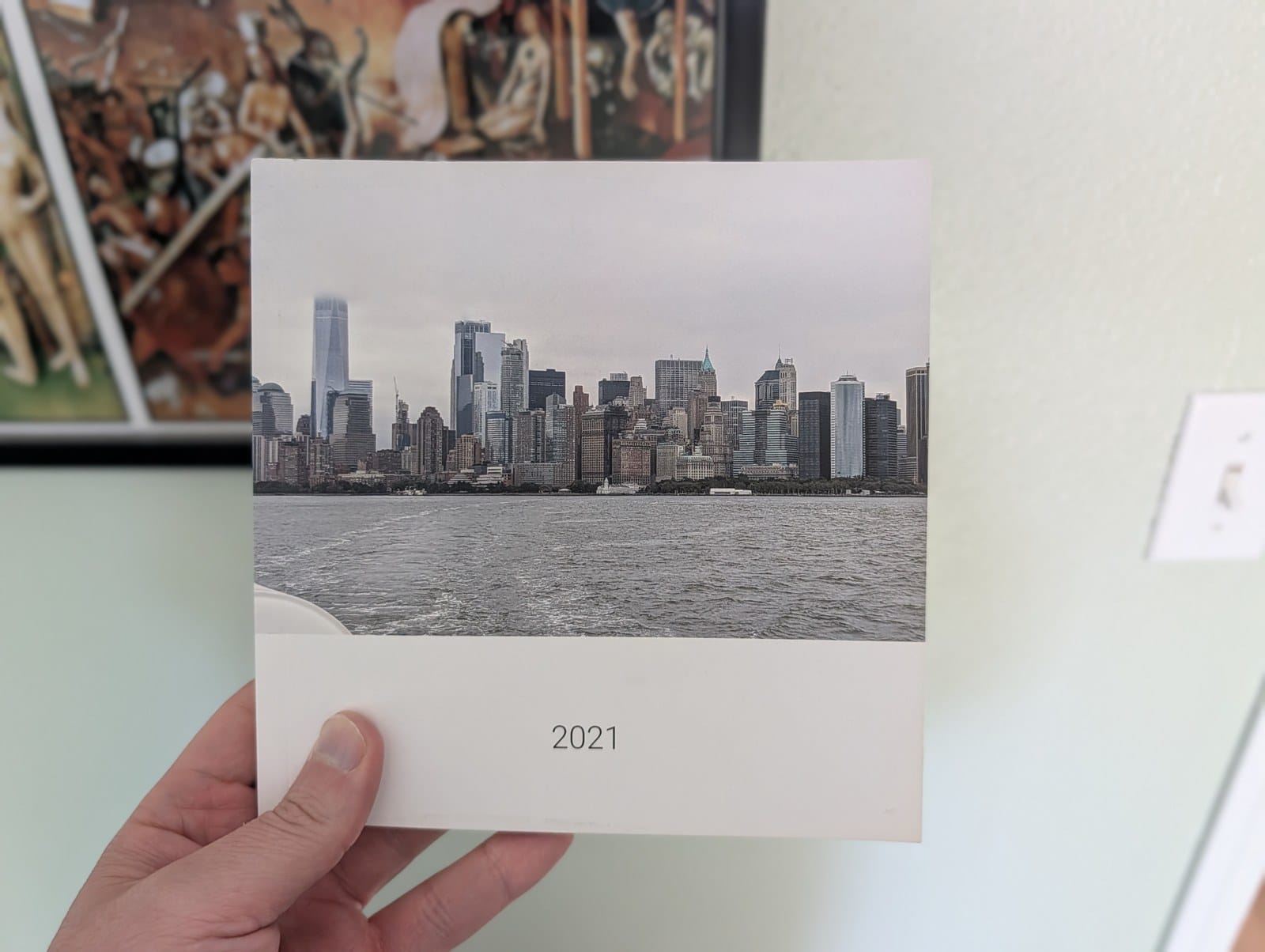
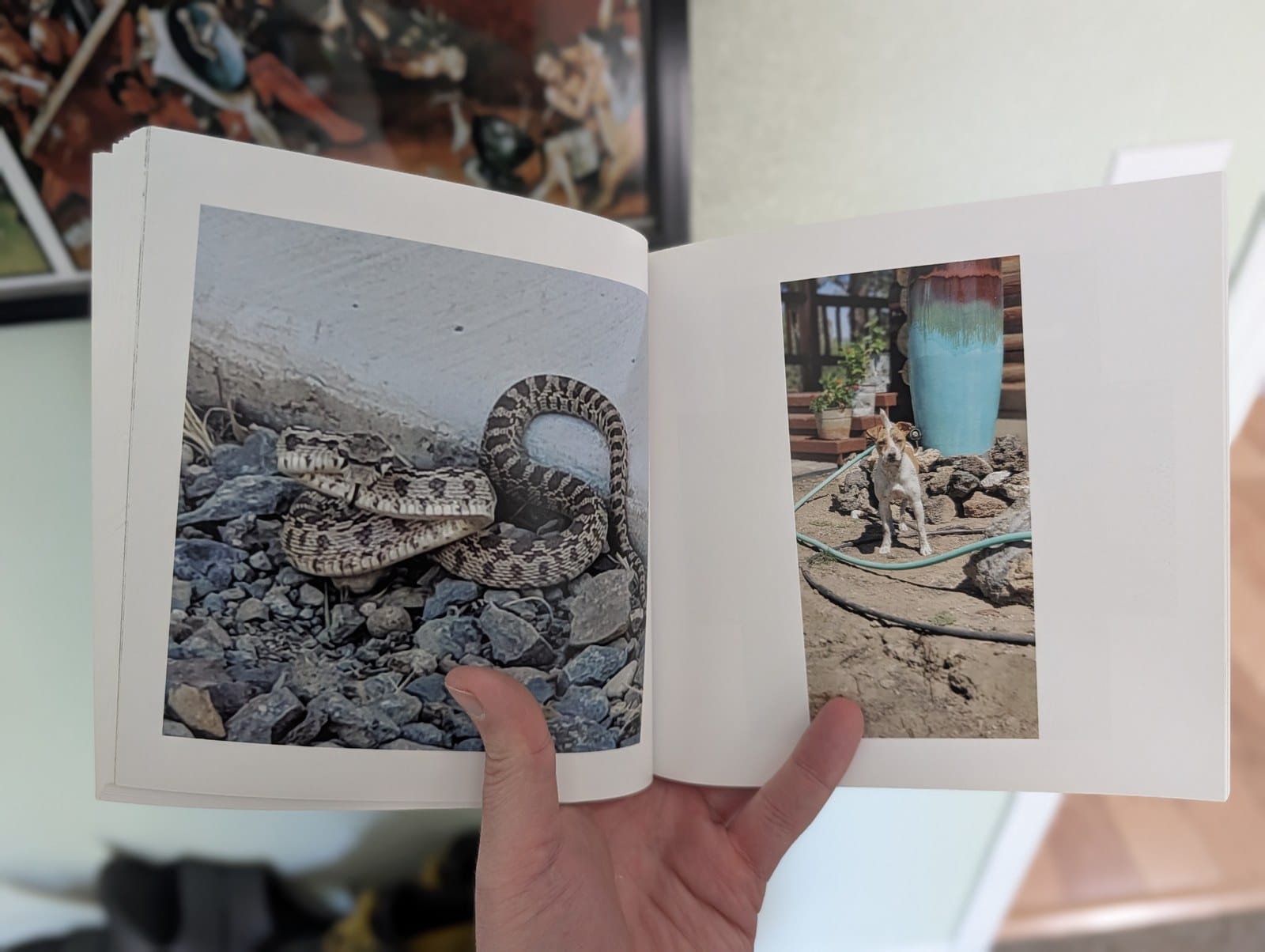
There's a shelf in my living room with about ten of these books on it now. One per year. The cover of each is a photo from that year's vacation or major theme, so I can tell them apart at a glance. When family comes by, the books come off the shelf. My two young nieces flip through them looking for pictures of my dogs.
Those books also do a job I never planned for. They exist outside every account, format, and service. Even if I lost every backup tomorrow, the shelf keeps the years I've already printed.
Why this takes half an hour and not a weekend
A photo book sounds like a project. Scrapbook people spend whole weekends on them, with glue. Mine takes half an hour because the work has already happened. The backup collected every photo all year and kept them sorted by date. By the time I sit down in January, there is nothing left to do except pick the ones I like.
That's the whole trick. The collecting is automatic. The picking is the enjoyable part, because picking means getting to choose which parts of the year meant the most to you.
How to do it
Two steps, a year apart.
Step one is today: turn on backup.
- Install the Google Photos app if you don't have it. Android phones usually come with it. iPhones get it free from the App Store.
- Open the app and sign in with your Google account.
- Tap your profile picture in the top right, then 'Photos settings', then 'Backup'.
- Turn backup on.
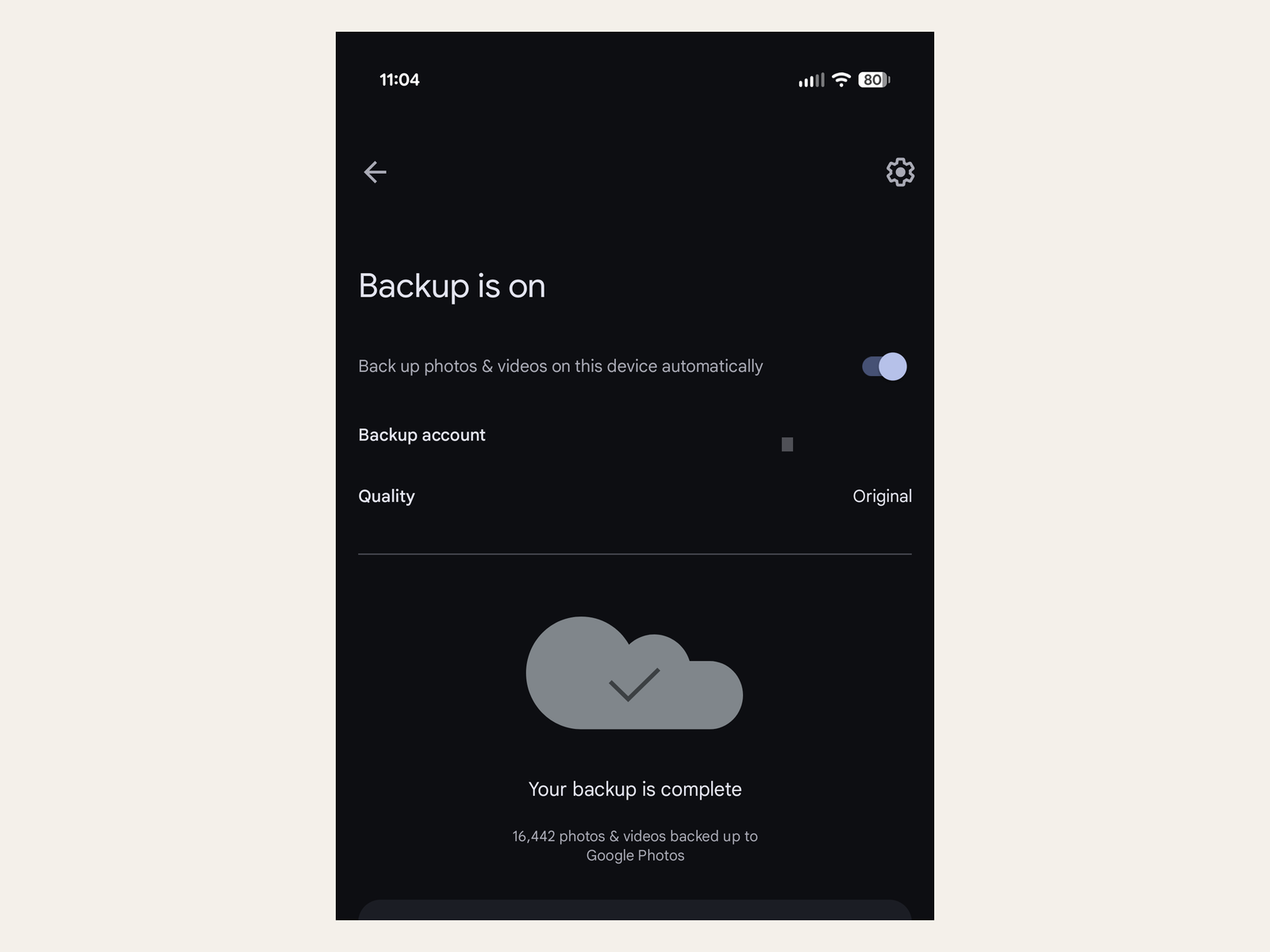
That's it for this year. Your phone now saves every photo you take on its own. It also means a broken or stolen phone no longer takes your pictures down with it.
Step two happens in January: make the book.
- Open Google Photos and tap 'Create', then 'Photo books'. On a computer, go to photos.google.com and click 'Print store'.
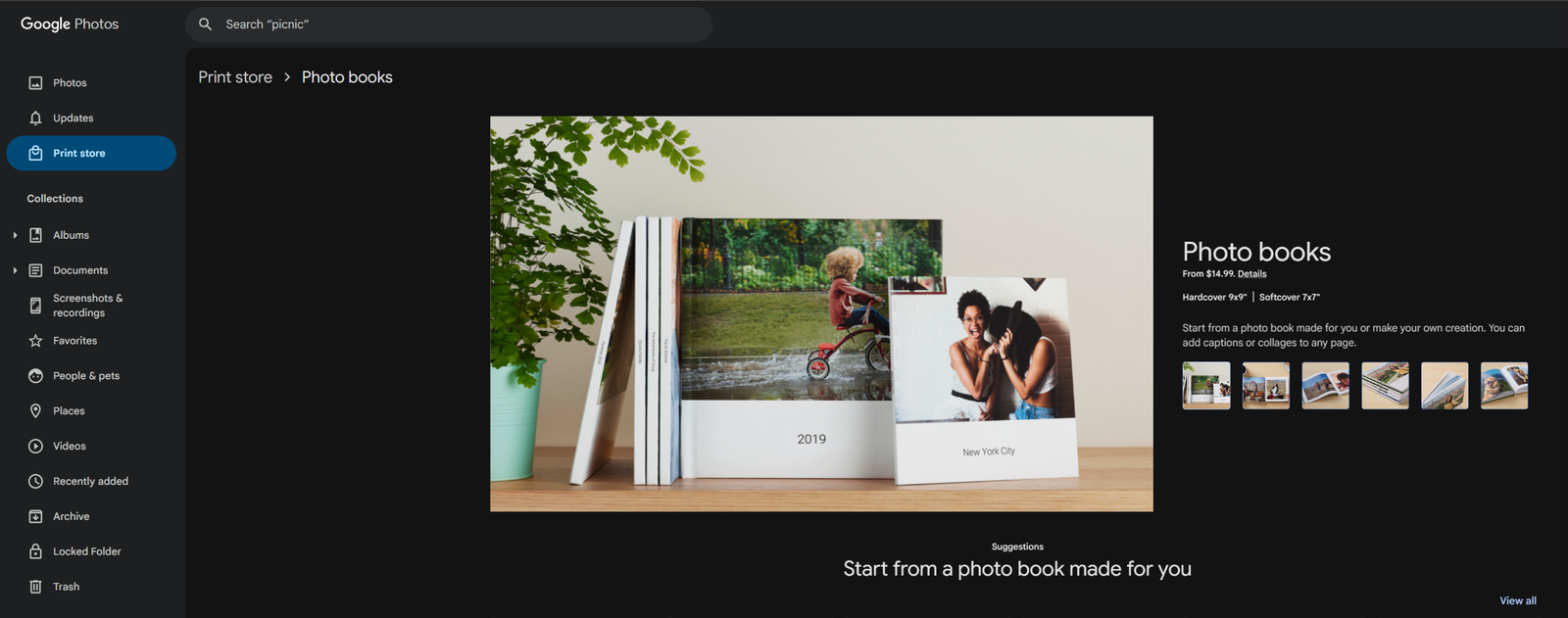
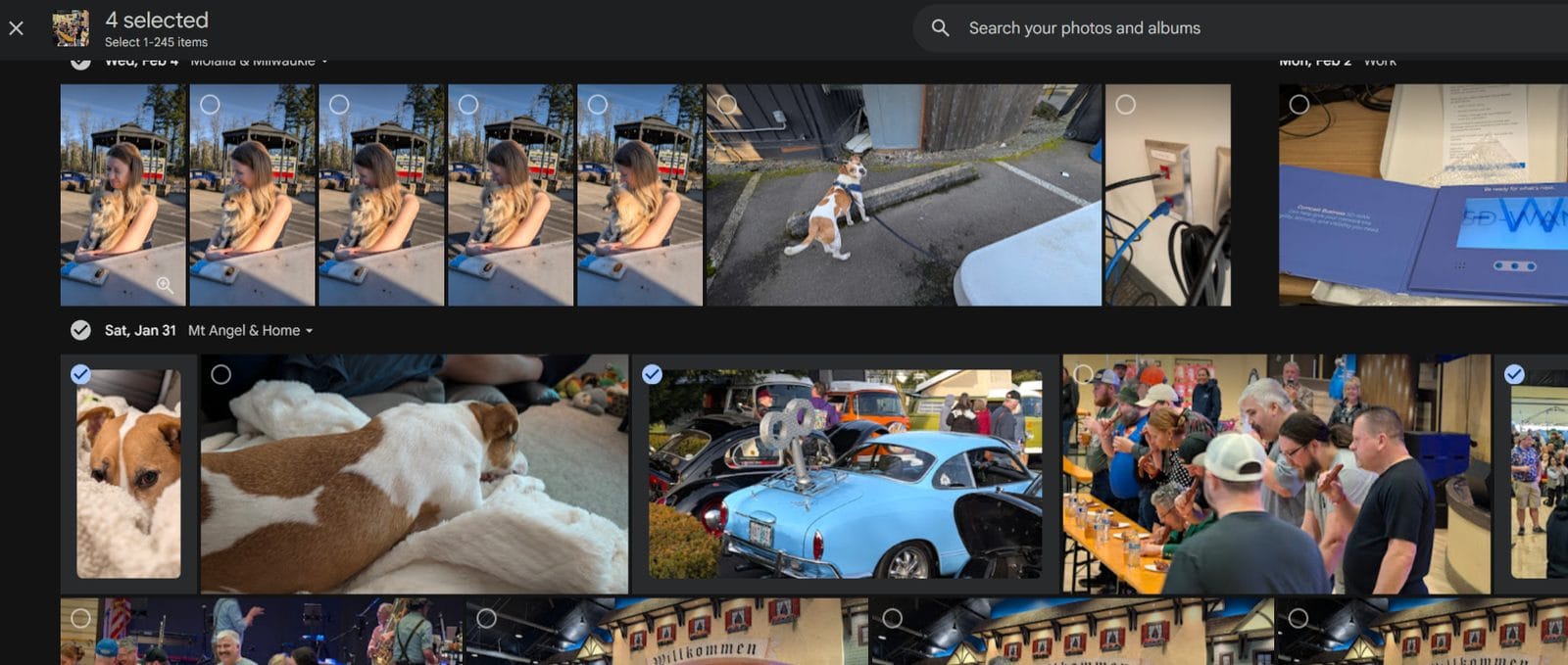
- Start a new book and begin selecting photos. I start with January of the year that just ended and work through December, picking the ones that captured a moment. A vacation shot, a birthday, the dogs being dogs.
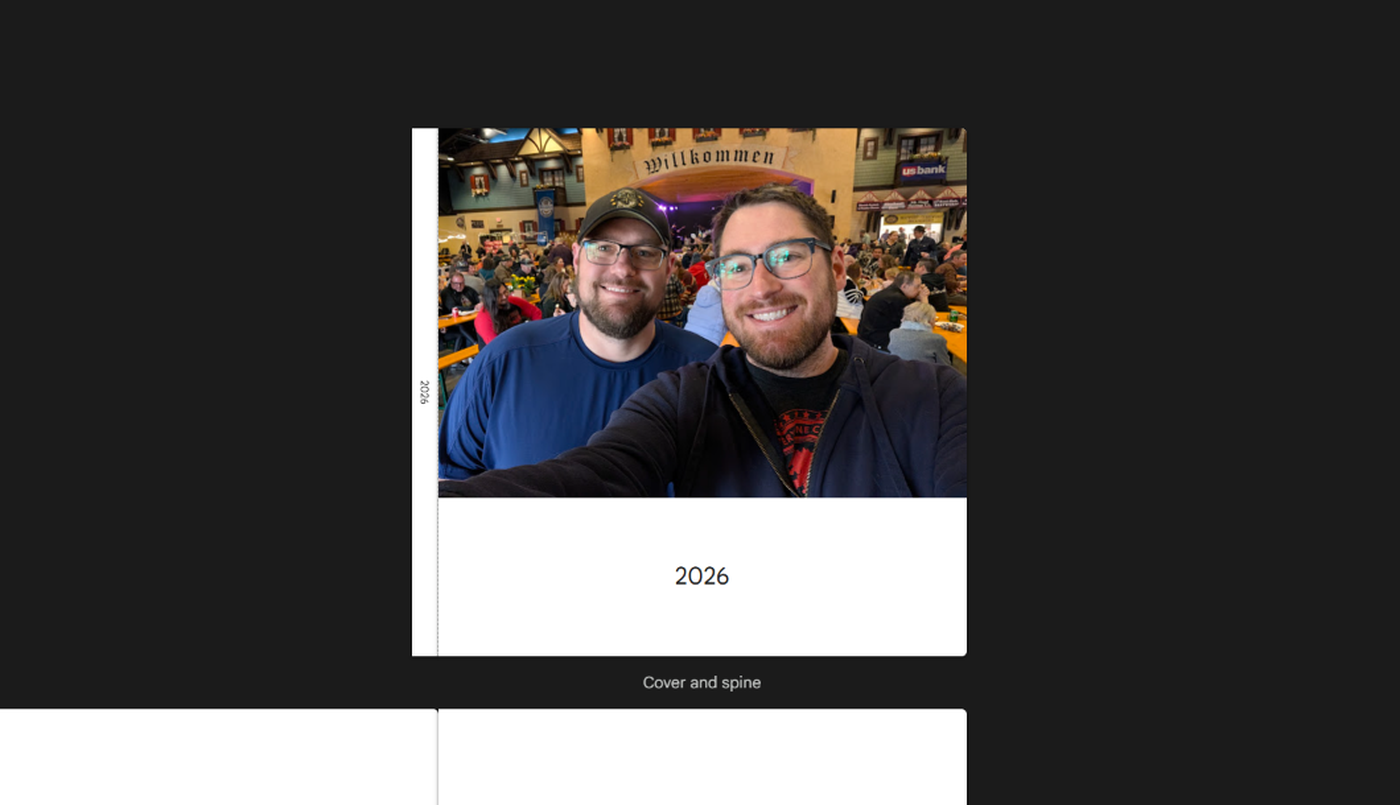
- Pick a cover photo and give the book a title. My cover is a photo from that year's vacation, and my title is just the year.
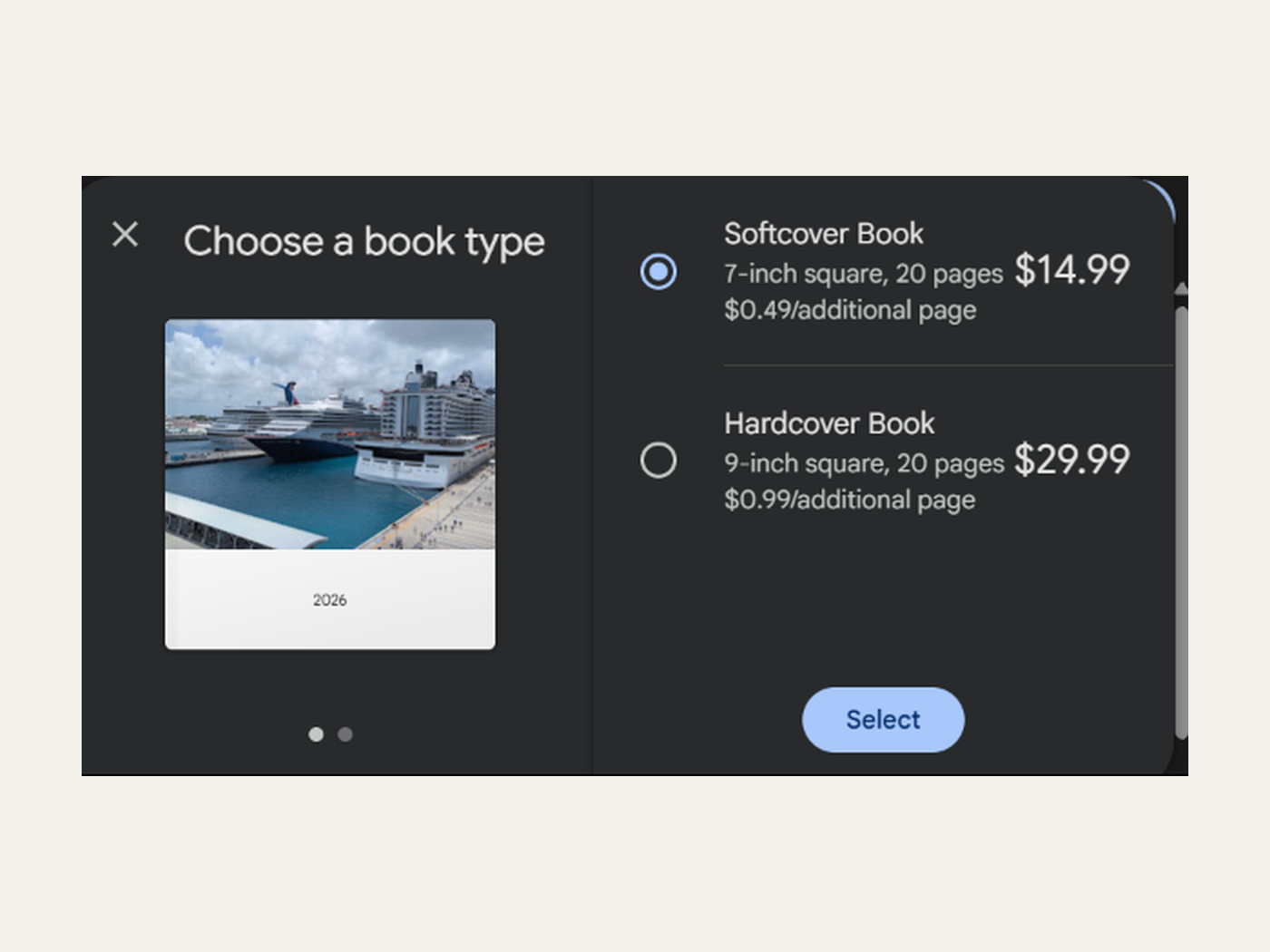
- Choose softcover or hardcover. I go softcover because it's cheaper. Hardcover would be nice if you're starting a collection.
- Check out. My last book was 102 pages and ran $62 including shipping.
Google prints two sizes, a 7-inch softcover and a 9-inch hardcover, starting at 20 pages. It takes a few days to print, then ships to your door. You can add captions and notes to each page along the way. I never have. The pictures carry it.
What about iPhones?
Apple used to print photo books straight from its own Photos app. That ended in 2018, and it never came back. There are third-party services that plug into Photos on a Mac, but if you're an iPhone person without a Mac, there's no built-in way to do this.
The good news: Google Photos works fine on an iPhone. Install it, sign in, turn on backup, and everything above works the same. Your photos stay in your Apple library too. Google just keeps a copy.
Storage is the one thing to know going in. A Google account comes with 15 GB free, which holds a few years of photos for most people. When you run out, 100 GB is about $2 a month. About a decade of this habit has used 75 GB of mine. This is not an expensive hobby.
Fair question: this does mean trusting Google with a copy of your pictures. I made that trade a decade ago and I'd make it again, because the photos I kept beat the photos I lost. If you'd rather keep everything in your own hands, the backups article covers ways to do that without any company involved.
Backup bonus
The book is the visible payoff. The other one is that you now have a real backup of every photo you take. If your phone ends up in a lake, your pictures don't. That alone would have saved my lost decade, and it's a few steps toward the full backup setup everyone should have anyway.
And the printed books go one further. I've written about how the digital things you buy aren't always yours to keep. A service can shut down, change hands, or revoke a license. None of that reaches a book on a shelf.
You don't have to be a scrapbook person
I'm certainly not. There's no glue, no cutting, no layout skills involved. Just picking your favorites from a year that's already saved and sorted. So turn on backup today. Next January, give yourself half an hour on the couch with your own pictures. By February, there will be a book on your shelf with this whole year in it.