Windows 11 has a disk-eating bug. Tuesday's update fixes it.
A hidden Windows 11 file has been swallowing disk space, up to 500GB in the worst cases, and Windows gives you no way to see it happening. The repair arrives automatically July 14. Two minutes in Settings tells you if you're affected.

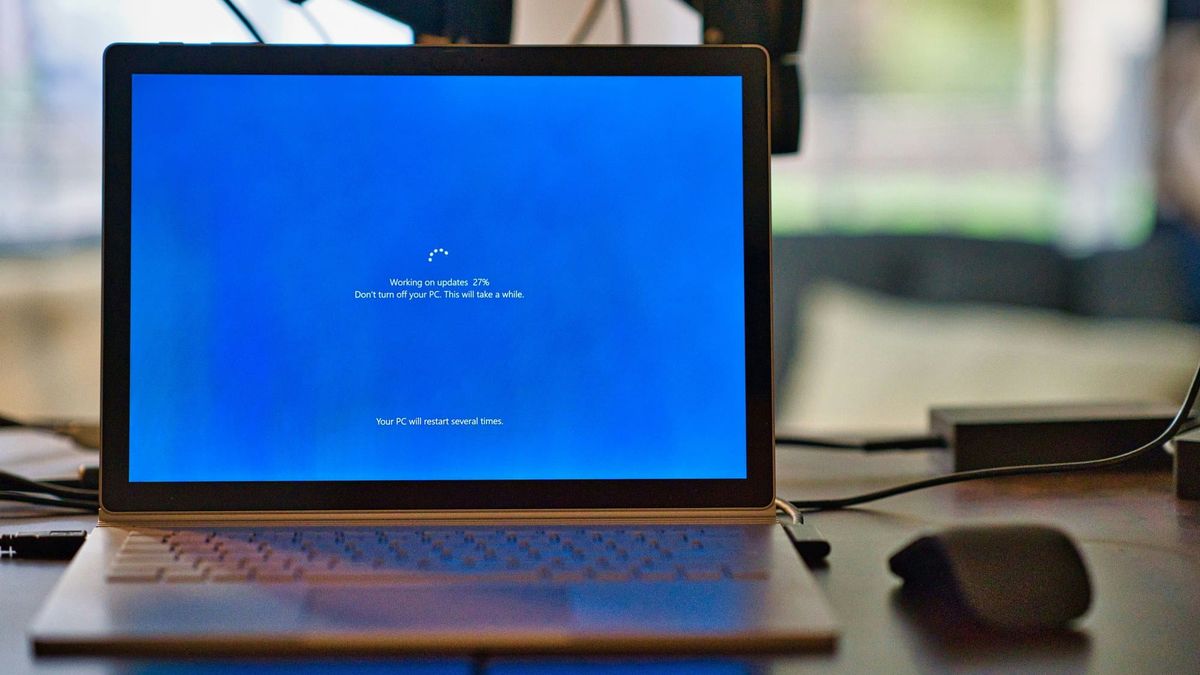
If your Windows 11 PC keeps running out of disk space and the math never adds up, it may not be your downloads. Microsoft has confirmed a bug that lets one hidden system file grow until the drive is full. People have reported the file reaching 70GB, 110GB, and 200GB, and in one case someone measured just over 500GB. The bug affects the current versions of Windows 11 (24H2 and 25H2). The repair rolls out automatically with the July 14 update. You can check right now whether you're affected.
The file belongs to a part of Windows called Capability Access Manager. That's the system that tracks app permissions: which apps have asked to use your camera, microphone, or location, and when. Every request gets logged to a database. Next to that database sits a scratch file, CapabilityAccessManager.db-wal, where Windows writes new entries before folding them into the main log. On a healthy PC the scratch file stays under a few megabytes. On affected PCs the folding step broke, so the file grows. And keeps growing.
Why you would never find it
Windows gives you no way to see this happening. Open Storage settings and the bloat hides inside a line called "System files" under "System & reserved," with no breakdown of what those files actually are. Go hunting for the folder itself and File Explorer says "Access denied." Disk cleanup tools can't recover the space either. The file is protected, and as far as Windows is concerned, it's doing its job.
Reports about the runaway file go back about a year, and Windows Insiders have been flagging it for months. Microsoft never listed it on its public known-issues dashboard. The acknowledgment, when it came on June 29, was one sentence added to the release notes of an optional update: "This update improves disk space usage for the CapabilityAccessManager.db-wal file." That's the entire public explanation for a bug that filled users' drives, leaving them with no space.
The expensive mistake
The lost storage isn't the biggest cost with this bug. A mysteriously full drive makes people blame themselves. They delete photos and old files that were never the problem. Or they search "clean up my PC," and that search is where the malware and junk live. Paid cleaner apps and "PC optimizer" downloads that charge for fixing nothing, and sometimes install trouble of their own. No cleaner app could have touched this file. The cure was always going to be a patch from Microsoft. And until two weeks ago there was no patch to be had.
We made the same point in our slow-computer guide: when a PC misbehaves, find the actual cause before you delete anything or spend a dime.
A few steps you can take
- Check one Settings screen. Open Settings > System > Storage > Show more categories > System & reserved. If "System files" shows hundreds of gigabytes, you're probably affected. Tens of gigabytes is normal; mine shows about 31GB.
- Update now if your drive is hurting. Go to Settings > Windows Update > Advanced options > Optional updates and install the June update, KB5095093. It contains the repair. If Optional updates only lists driver updates, the repair may already be on your PC. Check Settings > Windows Update > Update history. It installed on mine back in June and I never noticed.
- Otherwise, let Tuesday do it. The same repair arrives automatically in the July 14 update. Install it when Windows offers it.
- Skip the cleaner apps, and don't delete the file by hand. It's a protected system file, and deleting things in that folder can cause new problems.
- Look again after updating. Microsoft hasn't said whether the update shrinks a file that's already huge or only stops it from growing. If "System files" is still enormous a day or two after the update, the file can be cleared by hand from Safe Mode, but that's a job for someone comfortable in there. Ask for help rather than winging it.
The permissions log never leaves your PC, and this is a plumbing failure, the mundane kind of bug rather than the scary kind. Most computers were never affected; on a healthy machine that file is smaller than a single photo. Tuesday's update carries plenty besides this repair, including the new rewind feature we covered last week. If your laptop has felt tight on space for months and you assumed the mess was yours, spend the two minutes on that Settings screen. It may not have been you at all.