The fake CAPTCHA scam you run yourself
A new version of the "verify you're human" box tells you to press a few keys, and you install the malware yourself. Here is the one rule that spots it.


I click "verify you're human" a few times a week without thinking about it. Match the traffic lights, type the wavy letters, move on. That habit is the basis of a scam the FTC warned about on June 8.
The scam works like this. You are on a website and a box pops up that looks like a normal CAPTCHA check. Instead of asking you to match pictures, it tells you to press a few keys. On Windows that is the Windows key and R, then Ctrl and V, then Enter. The box calls it a security step. Those keystrokes open a built-in Windows tool and run a command the website already slipped onto your clipboard. The command downloads malware. You installed it, by hand, while trying to prove you were not a robot.
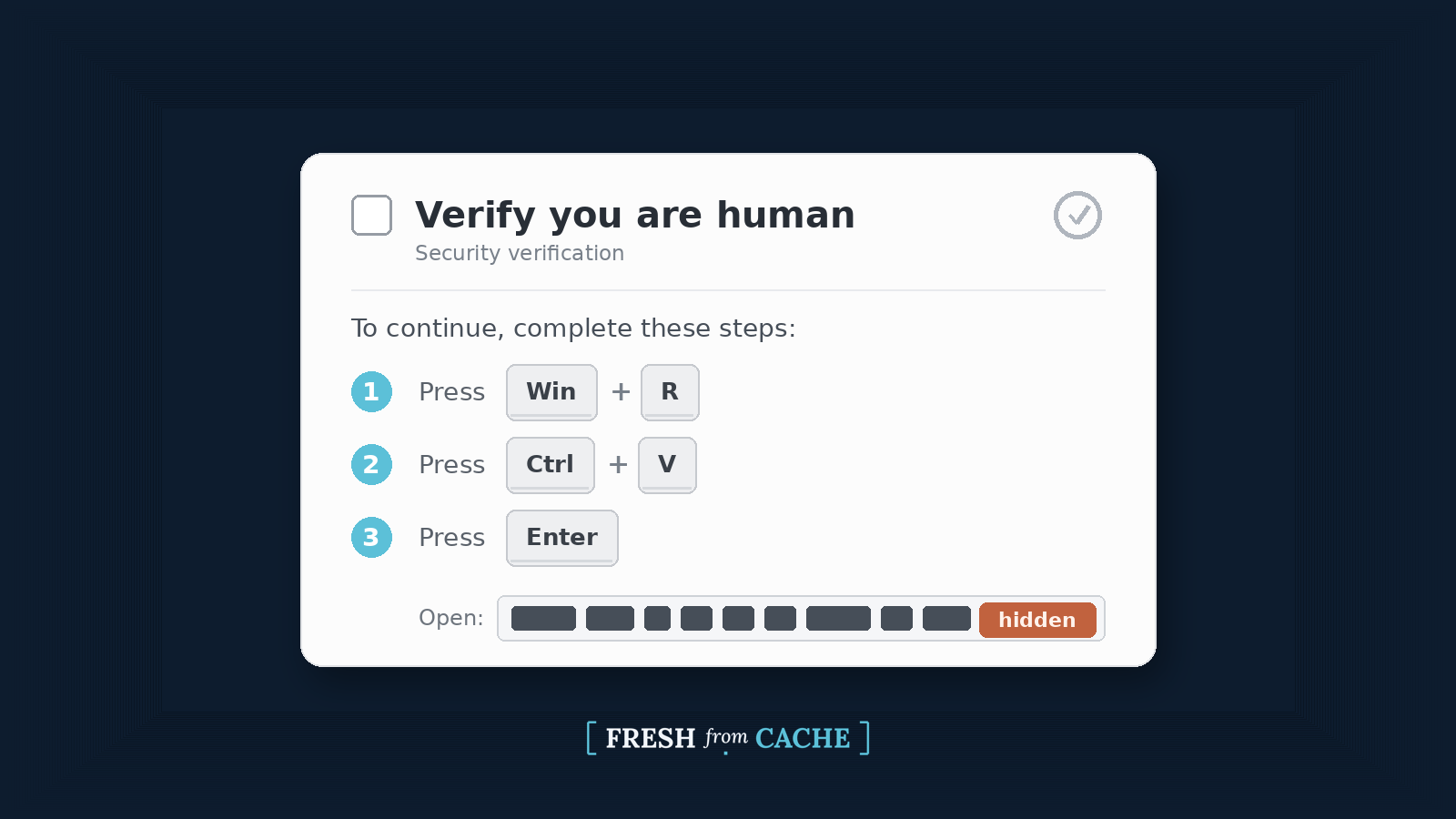
A real CAPTCHA exists to make a person do a small task a computer cannot, so a website can tell a human is on the other end. This fake version turns that around. It uses the habit you built from years of real checks to get you to run the one command the attacker's own code could not run on its own. A website cannot reach into Windows and start a program, but you can. So it walks you through doing it.
The part that catches people off guard is what their antivirus does about it, which is mostly nothing. Antivirus watches for a suspicious file showing up and being opened. In this attack no file shows up. The command runs programs that already live on your computer. Because those tools are supposed to be there, the alarms that would normally trip do not. The malware ran because you ran it, not because it slipped past a scanner. That safety net does nothing for this scam.
This is not a fringe trick. The security world calls the method ClickFix, and it has been climbing fast. The security firm ESET tracked a 517% surge in these copy-and-paste attacks through the first half of 2025. That put it second only to ordinary phishing. Microsoft published a full breakdown of the technique and now treats it as one of the most common ways an attacker gets a first foot in the door. The FTC putting out a plain consumer alert about it means that it has reached regular people, not just companies.
The disguise keeps changing, which is why memorizing one screen does not help. Sometimes the box looks like a Cloudflare check. Sometimes it is a fake "this document failed to load, click to fix" message, or a fake meeting-join screen. Some versions point you at a different Windows tool instead of the Run box. Microsoft even found a version aimed at Mac users, so this is not a Windows-only problem. The disguise differs but the request underneath is always the same: leave your browser and run something.
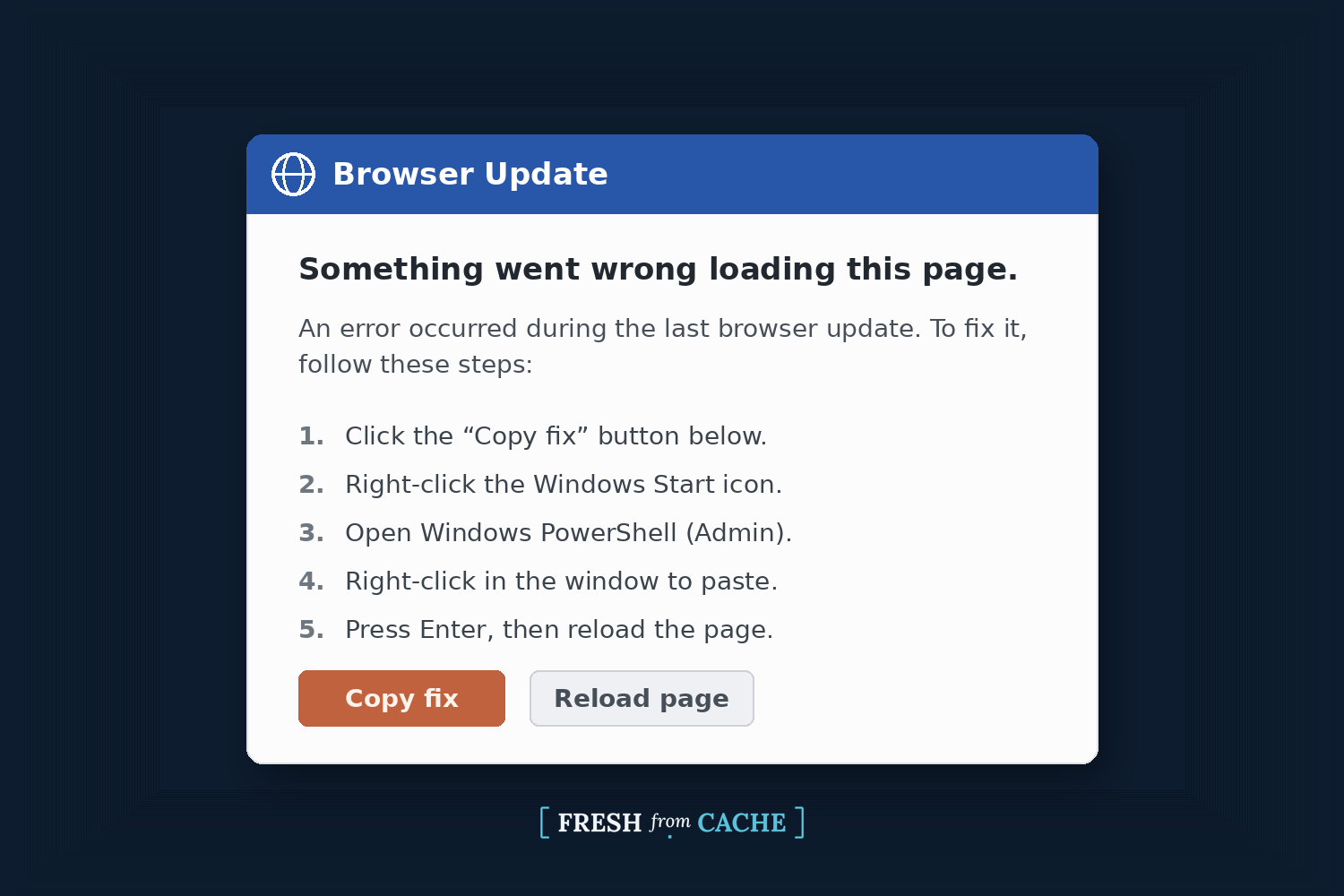
You do not have to go anywhere sketchy to hit one. Attackers plant these pages on real websites they have broken into, buy ads that lead to them, and seed links through fake job posts and poisoned search results. One campaign this spring rode in through a flaw in the software that runs a lot of small blogs and business sites. The page can show up on a site you have trusted for years.
You can keep yourself safe with one rule. A real CAPTCHA never sends you out of your browser. Ever. It will never ask you to press Windows and R, open a terminal, or paste something and press Enter. If a "verification" step asks for any of that, it is not a real check. Close the tab. You will not break anything by closing it, and a legitimate site will let you back in the normal way.
If you think you already fell victim to the scam, the FTC's list of steps is solid. Do them in this order:
- Disconnect that device from the internet. That cuts off the attacker's live access to your accounts.
- Run a security scan to clear the malware, and keep your software and apps updated so the scan can catch current threats.
- From a different device, change your important passwords. Turn on two-factor authentication where you can. The malware may have grabbed what was saved in your browser before you pulled the plug.
- Report the page to the FTC at ReportFraud.ftc.gov.
This is the same family of tricks as a phishing email, so if your guard is already up for one, you are most of the way to spotting the other. What these attacks are after is your logins. The malware reads saved passwords and the session tokens your browser uses to stay signed in, and those tokens can let someone skip your password entirely. That is one more reason passkeys are worth turning on where they are offered, since there is no saved password for the malware to lift.
If you run a small business, two habits help. Keep the computer that holds the keys to everything separate from the one used for daily browsing, so a bad afternoon on the web does not hand over the admin account. And use your password manager as a second opinion. It only fills your login on the exact site where you saved it, so if it refuses to fill on a page that looks right, treat that oddity as a warning.
The bait here is ordinary, and that is the whole problem. Nobody is scared of a "prove you're not a robot" box. That is why this works. So my advice is simple: if a website ever tells you to press keys or paste something to prove you are human, close the tab.
The two boxes above are recreations, not live screenshots, so there is no working command in them to copy. If you want to see the genuine pages, the security firm Trend Micro and Duke University both show real examples.
If you have seen one of these in the wild, or you got caught by one, reach out. I would like to hear about it, and real examples help me show other people what to watch for. You can email me at joel@freshfromcache.com.
Sources: the FTC consumer alert (June 8, 2026), Microsoft's analysis of the technique, ESET's H1 2025 Threat Report, and Trend Micro's breakdown of real campaigns.