What you own when your printer is on a subscription
Cancel the subscription and the cartridge stops working, ink and all. HP writes it down, and so do Brother, Canon and Epson. What the contracts say, and how to leave without a dead printer.

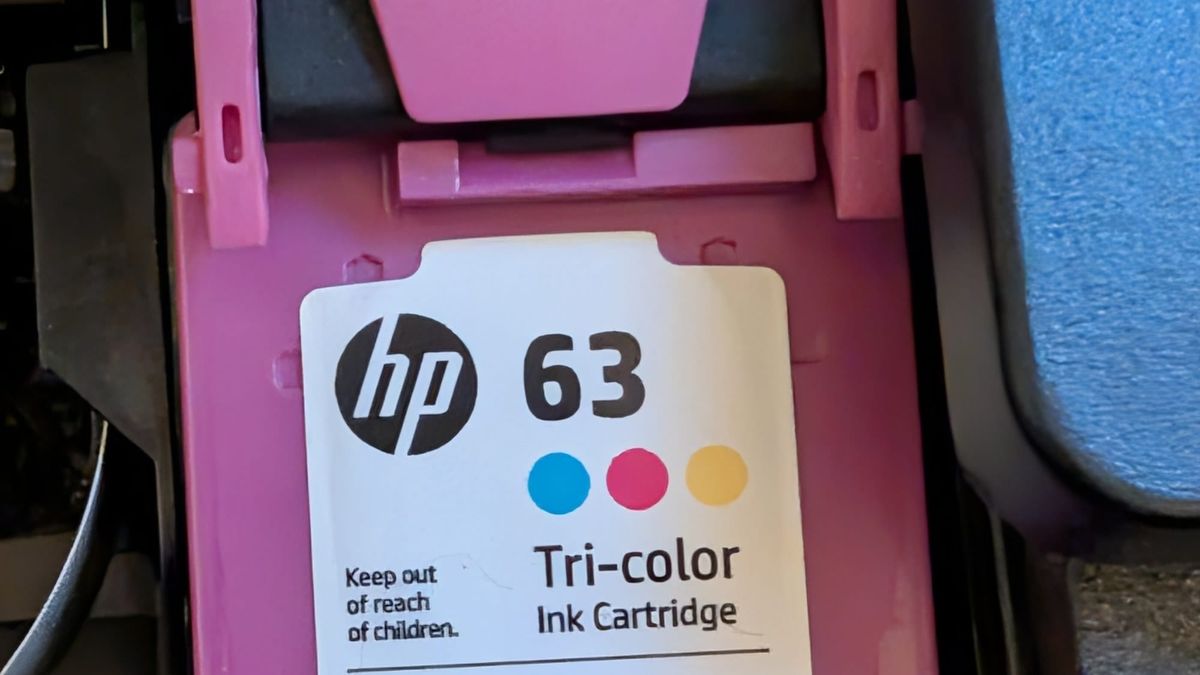
Most new home printers are sold with a subscription attached, and the subscription rewrites what you actually own. HP's is the biggest. Its CEO put Instant Ink at more than 13 million subscribers. Cancel Instant Ink and HP remotely shuts off the cartridge it sent you, along with whatever ink is left in it.
The contract is HP's Instant Ink terms. "When Your Service is cancelled for any reason, HP will remotely disable the Subscription Cartridges and You will no longer be able to print with the Subscription Cartridges." The ink is still in there. You just don't own it.
Two plans, two deals
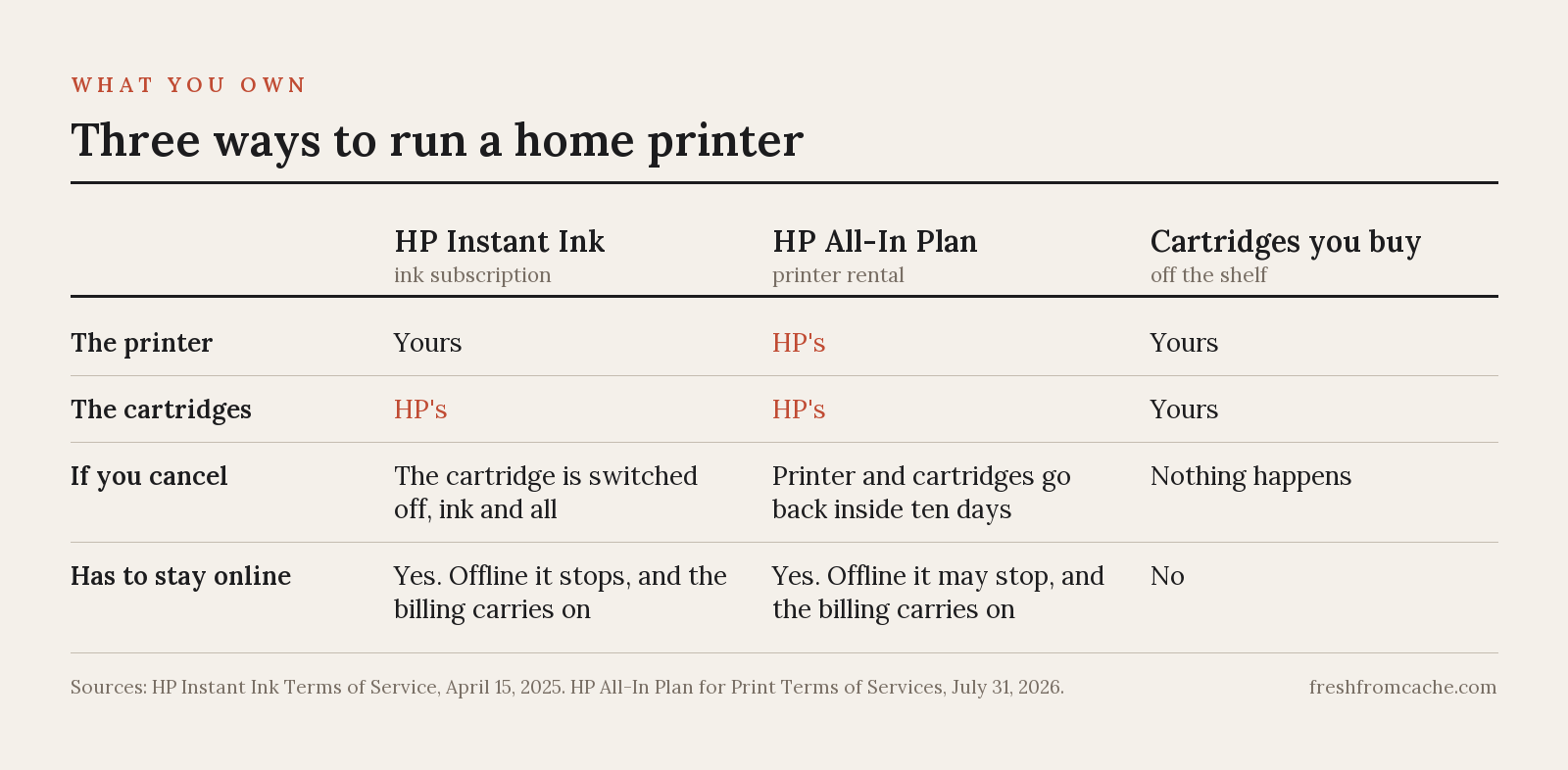
HP sells home printing two ways now, and they use the same app.
Instant Ink is the older one, the ink-only subscription. You buy the printer, and the printer is yours. The cartridges that arrive in the mail are not. The terms say HP "retains all ownership rights and interests in the Subscription Cartridges." You are paying for pages, not ink. A page with anything printed on it counts as a page, and printing both sides counts as two.
The All-In Plan goes further. The printer arrives in the mail and it is not yours either, not after two years of payments and not even if you pay the fee to leave early. The terms HP updated on July 31, 2026 say it in capital letters, that you "DO NOT own" the printer or the cartridges. Cancel and you have ten days from the printed return label to mail everything back. Miss the window, or never send it back at all, and your card is charged an Unreturned Printer Fee that runs $120 to $345 depending on the model. That fee is a penalty, and it is the contract's whole answer to keeping the printer. "The payment of an Early Cancellation Fee or Unreturned Printer Fee shall not result in a sale of, or the transfer of title to, any Printer or Subscription Cartridges provided as part of the Services."
To HP's credit, none of this hides in the fine print alone. The All-In Plan FAQ says it in a sentence anyone can read. "HP owns the printer, printer cartridges and ink bottles throughout the subscription, and they must be returned to HP upon printer upgrade or cancellation." They do tell you.
It stops printing when the internet goes out
Both plans require the printer to stay online, and the connection is how HP confirms you are still paying. On Instant Ink, a printer that loses its connection has its subscription cartridges disabled. The terms are also clear that you "will continue to be charged for the Service." Reconnect and keep it connected, and the cartridges come back. The All-In terms have the same idea with softer language, you "may not be able" to print, and the billing continues either way.
If your internet drops for days at a time, a printer on your desk, with ink in the cartridge and paper in the tray, will not print until it can reach HP. You are billed anyway.
What the printer tells HP
A subscription printer reports home. The Instant Ink terms list what HP may collect:
- page counts
- ink levels
- the printer's serial number and cartridge details
- "types of documents printed," with Word, PowerPoint, PDF and JPEG given as the examples
So HP can see that you printed a PDF. It cannot read the PDF. HP support says the same when asked, and the terms match. Knowing how much you print, when, and in what file format is still a detailed picture of a machine in your house.
The court order that has mostly expired
The reason HP printers have a reputation has a name, Dynamic Security. Since 2016, HP printers have checked cartridges for an HP chip and can reject one without it. HP can deliver that check to a printer already in your house through a firmware update. A cartridge that printed fine the day before can be refused the next.
That produced two settlements. In 2019 HP paid $1.5 million and agreed not to reactivate Dynamic Security on a list of OfficeJet models. In 2025 it settled a second case covering a list of LaserJet Pro models. That deal paid class members nothing. What HP agreed to was choice. When a firmware update carrying Dynamic Security shows up, the user gets to install it or decline it.
You still see that repeated as advice, that HP has to let you decline the update. For most of those printers the court order behind it has expired. The commitment ran one year from the settlement taking effect, which happened around April 2025. So the guarantee lapsed around April 2026. Four models, the Color LaserJet Pro M254DW, M180NW, M281FDW and M281CDW, keep it until about April 2027. And every printer in the case is a laser printer. If you own an inkjet, the settlement never covered you at all.
The decline control itself has not gone anywhere. HP Smart still lets you turn off automatic firmware updates, and HP still posts opt-out firmware for some listed models. What ended is the court order requiring it. Declining has a cost, though. HP packages the cartridge lock into the same updates as its fixes, so skipping an update to keep a cheap cartridge working also skips whatever else came along with it. That bundling is HP's choice.
HP is not alone
Brother sells the same subscription. Its Refresh terms say that on cancellation "all Refresh Subscription Cartridges will cease to function" and "any ink remaining in those cartridges will be forfeited." Forfeited is the contract's own word for ink you already paid the monthly fee to receive.
Canon writes it down too. The PIXMA Print Plan terms say the subscription cartridges "will only work in your PIXMA Print Plan Printer while you maintain a current subscription for the Service." Canon's offline rule is stricter than HP's. Disconnect the printer from the internet and it "will automatically stop printing" after a limited number of pages.
Epson's ReadyPrint is a printer rental, so cancellation reaches the whole machine. Its own FAQ answers whether you can keep using the printer after canceling with one word, no. "The printer must be returned per the terms of the Epson ReadyPrint subscription agreement."
Every major consumer printer brand now sells a plan where the ink, or the printer itself, stops with the payments.
How to cancel without a dead printer
Most people find out what canceling means the day the printer stops, with nothing on hand to swap in. The order matters more than the decision.
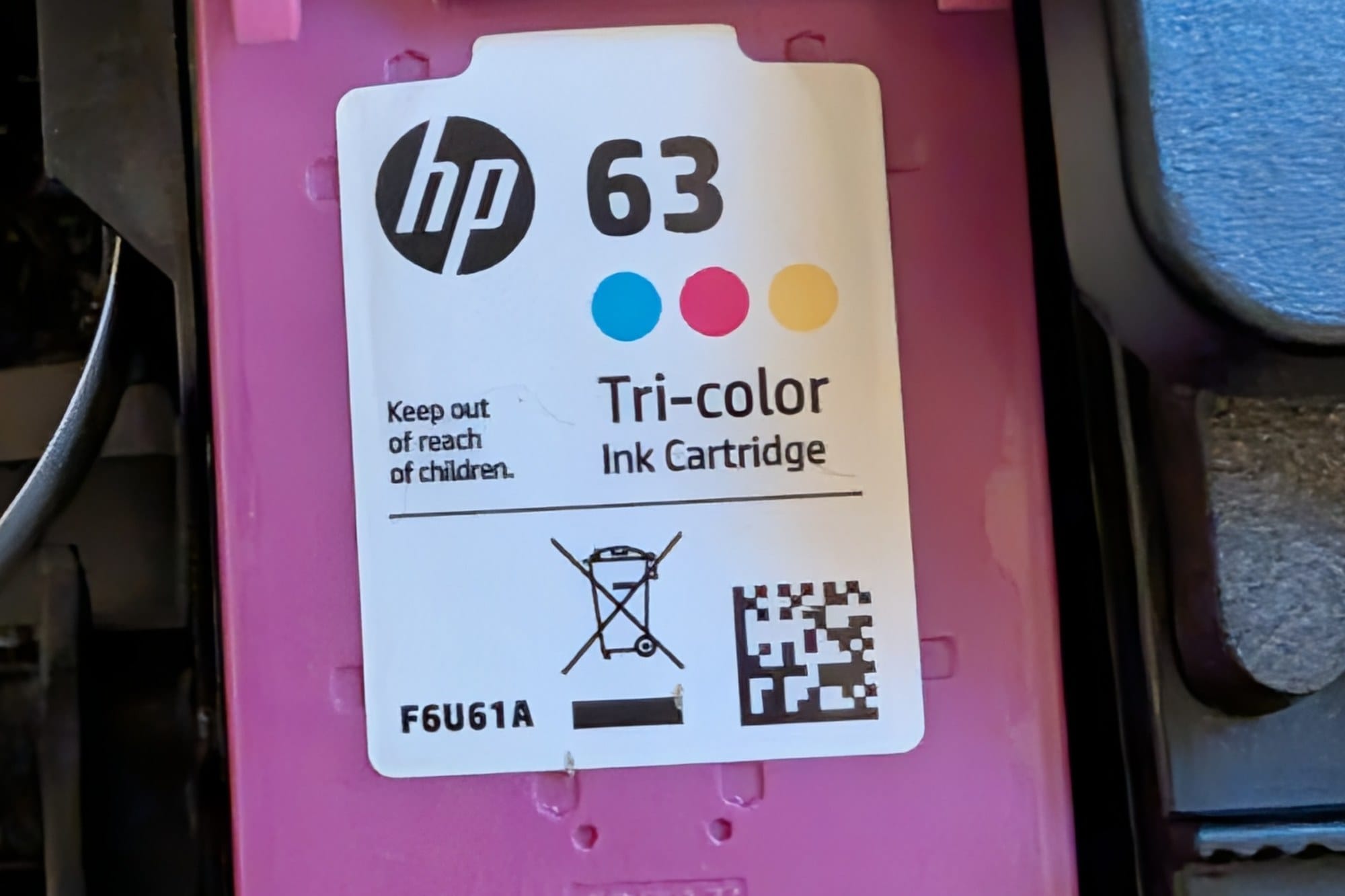
- Buy replacement cartridges before you touch the subscription, and have them in hand. Match the cartridge number your printer already takes, printed on the cartridge door, so a retail 63 goes where a subscription 63 was. On an HP+ printer, only Original HP cartridges work; HP's own page lists Original HP ink as "required to operate." On any other HP printer, third-party cartridges are an option too.
- Leave the printer connected until the cancellation goes through. Unplugging it early disables the subscription cartridges while the billing keeps running.
- Cancel. On Instant Ink it takes effect at the end of your current billing month, and the subscription cartridges are switched off at that point, whatever is left in them.
- When they stop, swap in the cartridges you bought.
- On the All-In Plan, the printer and every cartridge go back in the box within ten days of the return label. That part is not optional. The Unreturned Printer Fee is how they make sure.
Instant Ink's terms ask for the used cartridges back for recycling in one section and say "must return" in another. A disabled cartridge is no use to you anyway, so send it back for recycling. And if the printer misbehaves after the swap, we have four steps for that.
The printers that are yours
If the model itself bothers you, the alternatives are different types, not brands.
A tank printer, the kind with built-in reservoirs you refill from bottles, costs more up front and prints for far less per page. Everything in it belongs to you. The catch is idleness. Inkjet printheads clog when a printer sits unused, and the cleaning cycles that fix it use up ink.
A monochrome laser fits the household that prints documents, forms, schoolwork, etc. Toner does not dry out, and at any real volume black-and-white pages get cheap. It will not print the vacation photos though.
Third-party cartridges stay the cheapest consumable, with the Dynamic Security caveat above on HP models. Federal warranty law does not let a manufacturer void your warranty just for using them.
And the fourth option is no printer at all. If you print a handful of pages a month, the library and the shipping store are great options.
The bottom line
We wrote in July about movies and games that turn out to be licenses. At least with a streamed movie, some part of you knew you were renting. A cartridge with ink in it, inside a printer on your own desk, does not feel like it should belong to anyone else. The contract says otherwise.
So if you are on one of these plans and want out, be sure to leave in the right order. Buy the replacement cartridges, then cancel.
Sources
HP contracts: Instant Ink Terms of Service (last updated April 15, 2025) · HP All-In Plan for Print Terms of Services (last updated July 31, 2026) · HP All-In Plan FAQ · HP+ requirements
The firmware settlement: Settlement Agreement and Release, Mobile Emergency Housing Corp. v. HP Inc. · Final Order and Judgment (March 18, 2025) · The Register on the settlement
The other manufacturers: Brother Refresh Subscription Terms of Use · Canon PIXMA Print Plan Terms and Conditions · Epson ReadyPrint FAQ on canceling
Subscriber count: HP CEO Enrique Lores on Instant Ink subscribers, via The Register