iPhone to Android texting finally encrypted.
A text between an iPhone and an Android phone can now be locked end to end for the first time. The tell is a small padlock, and it doesn't cover everything.

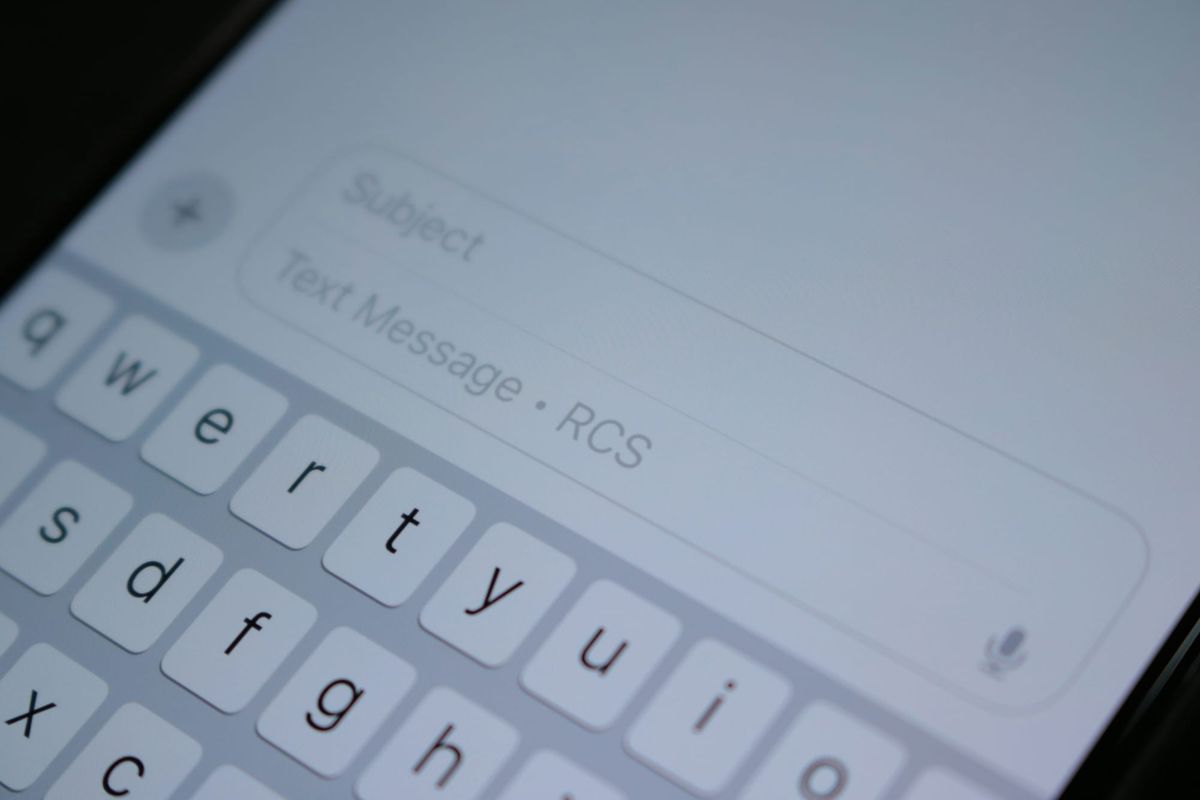
Apple has encrypted messages between iPhones since 2011. Anything you sent to a friend on an Android phone got no such protection, and Apple was in no rush to change that. As of May, it finally has.
Apple adopted the standard that fixes this, RCS, back in 2024, but released it without the encryption. The encryption itself arrived in May, with iOS 26.5. Better late than never.
When both phones are updated and both carriers support it, a cross-platform chat now encrypts itself, and a small lock icon shows up next to the conversation to prove it. So why care? Think of a normal text as a postcard rather than a sealed letter. Anyone handling it along the way can read it. Encryption turns the postcard into a sealed letter.

What actually changed
Android-to-Android messages have been encrypted since 2021. iMessage between two iPhones has been encrypted since 2011. The disconnect has been the bridge between the two platforms. A text from your iPhone to an Android friend, or the reverse, made the trip with no end-to-end protection. This made them readable by anyone who could tap the carrier network it passed through.
Apple and Google built the encryption on a shared industry standard (the GSMA's RCS Universal Profile 3.0, running a protocol called MLS), so it behaves the same no matter whose phone is whose.
This is also a good moment to explain why texting between an iPhone and an Android phone is less of a headache than it used to be. Most of the modern features arrived when Apple adopted RCS in 2024. The encryption and a few last pieces came with this update. Here's the same iPhone-to-Android conversation, then and now:
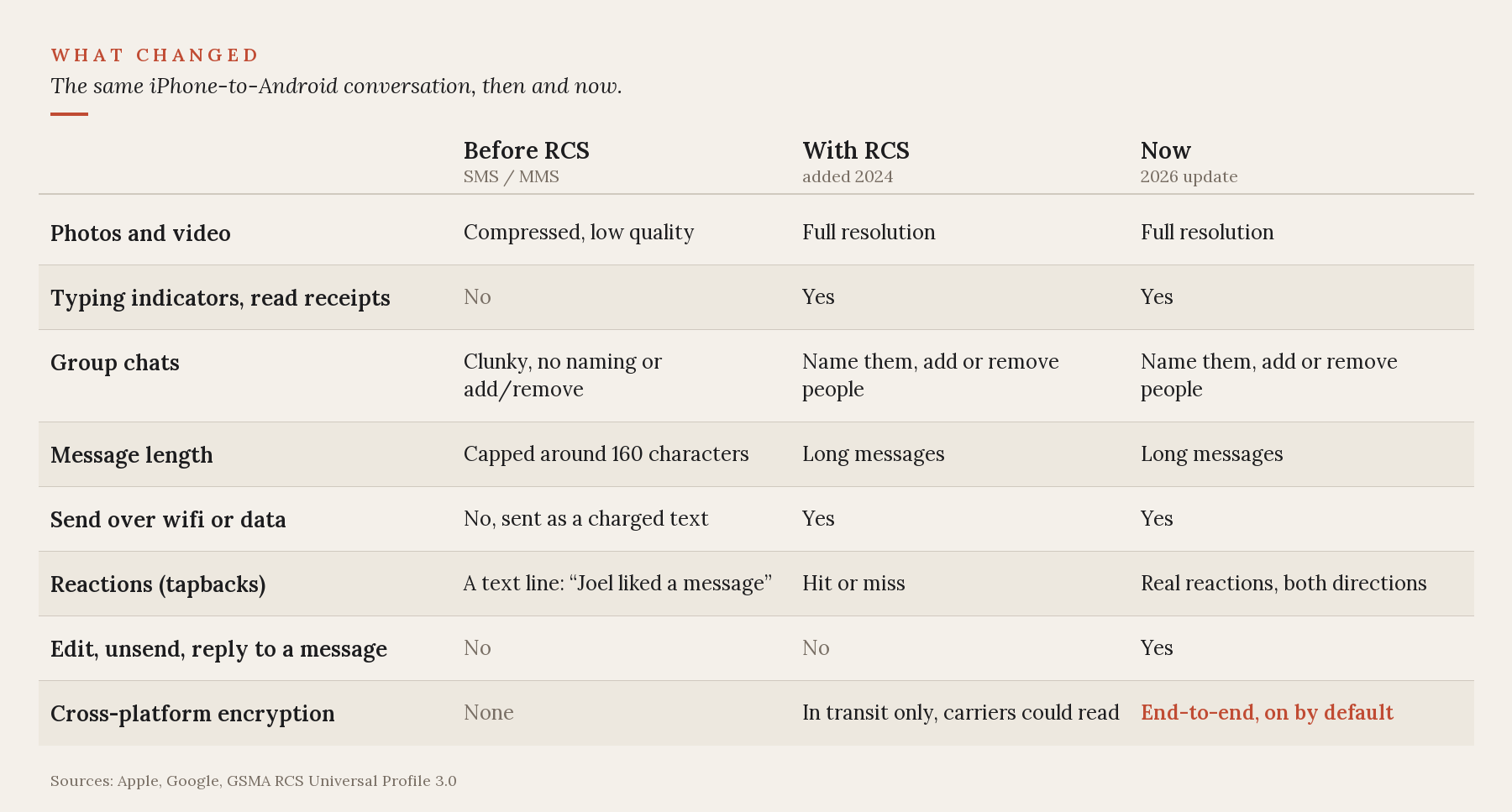
The encryption row is the headline. The reactions row is the one you'll feel day to day: an iPhone tapback now lands as a real reaction on your friend's Android screen instead of a separate "Joel liked a message" line.
How to tell it's on
Look for the lock icon next to the conversation. No lock means one of three things:
- A phone isn't on the latest software (iPhones need iOS 26.5, Android needs a current Google Messages).
- A carrier on one end doesn't support the newest RCS profile yet.
- The rollout simply hasn't reached your account.
It's on by default, so there's nothing for you to enable. If you want to verify the setting on iPhone, it's under Settings, then Messages, then RCS Messaging, listed as "End-to-End Encryption (Beta)." Leave it on. Switching it off downgrades your cross-platform chats back to the older, unencrypted version.
The "Beta" label is real. Apple is still calling this a beta because the rollout leans on carriers catching up and on the other person running current software. Expect more of your conversations to pick up the lock over the coming weeks as it reaches more carriers and phones.
What isn't protected
End-to-end encryption protects what your messages say. It does not hide your footprint. Metadata (who you texted, when, and how often) is still collected. For anything genuinely sensitive, a dedicated app like Signal stays the better choice. Same logic as what a VPN actually does: it covers specific things and leaves others exposed.
Two caveats come with this new privacy.
First, cloud backups. A backed-up copy of your conversation can sit in the cloud unencrypted. On iPhone, turning on Advanced Data Protection fixes that. On Android, Google Messages encrypts the text of your backups but not the photos and videos in them. Either way, this is the stored backup, not the live chat. A photo you text a friend is still encrypted on its way to them.
Second, the lock only holds while both of you stay on RCS. If a thread drops to SMS, or the lock disappears mid-conversation, something downgraded. The missing lock is your indication the conversation is no longer encrypted.
Why now?
Apple has encrypted iMessage between iPhones since 2011. Extending that to texts with Android users needed an industry standard that didn't exist until 2025. Even after the infrastructure was in place, it then took Apple more than a year to switch it on. What finally forced their hand was pressure.
In January, the Electronic Frontier Foundation launched a campaign called "Encrypt It Already," aimed at six companies with Apple among them, asking for exactly this. The EFF later called the rollout a victory, with the caveats above.
One other company on that list went the other direction. Over the same stretch, Meta removed encryption from Instagram DMs, citing low uptake.
There's a side effect for spam, too. Carriers can no longer read encrypted messages to filter junk on their end, so the new standard pushes spam detection onto your phone instead.
Samsung is also shutting down its own Messages app in July for US phones on Android 12 or newer. Samsung users will move to Google Messages, which is the Android app that supports this encryption.
A warning
If a text tells you to switch, slow down. Scammers are already using the changeover as bait, sending fake "your messaging app is ending" messages with bad links. The tells are the same ones in how to spot a phishing email. Samsung prompts you inside the app, not with a random text.
The upgrade costs nothing and asks nothing beyond updating your phone. Open a thread with a friend on the other platform and look for the lock. If it's there, that chat is encrypted. If not, give it a few days and check again.
Sources
- Electronic Frontier Foundation, the "Encrypt It Already" campaign and its follow-up marking the RCS rollout (January and May 2026): eff.org.
- GSMA RCS Universal Profile 3.0, which added the MLS encryption standard (2025).
- Apple, on RCS end-to-end encryption arriving with iOS 26.5, and Google, on encryption in Google Messages.