How to get a deepfake of you taken down
The full platform-by-platform companion to our deepfake explainer: where the real removal paths are, what each report form actually covers, and what to save before you file anything.


One day a friend sends you a link with a question attached: is this you? The video has your face. The voice is yours too. But it's selling something that you would never approve of.
Last week we walked through what happens when an AI deepfake has your face: the report buttons were built for fake accounts, the law mostly cares whether money changed hands. That post promised a follow-up with the actual steps. Happy to deliver. Bookmark it for the day that hopefully never comes.
Before you report anything, save everything
Every path below starts with proof, and fakes tend to vanish and reappear somewhere new, quickly. Save anything you can see now, and save them somewhere safe.
- Screenshot the post, the account, and the comments. Get the browser address bar or the app's share link in the shot when you can. Include your phone's clock if you can.
- Screen-record the video playing. A screenshot of a video only proves a single frame. A recording proves the voice, the motion, and the claims.
- Copy the links. The post, the account profile, and the account's other uploads. Paste them into a note with the date you found each one.
- If it's an ad, find it in the ad library. Facebook and Instagram ads are searchable at Meta's Ad Library (facebook.com/ads/library), which shows who ran the ad and when. You can report an ad from there with the three-dot menu. TikTok's ad library only covers Europe. So for a TikTok ad your screen recording is the record.
- Save every confirmation. Each report you file returns a number or an email. Keep them all in one note. If this ever reaches a lawyer, that paper trail could be important.
I know this seems like an excessive amount of information to collect, and it is. But the more evidence you collect, the stronger case you'll have.
Which path to take
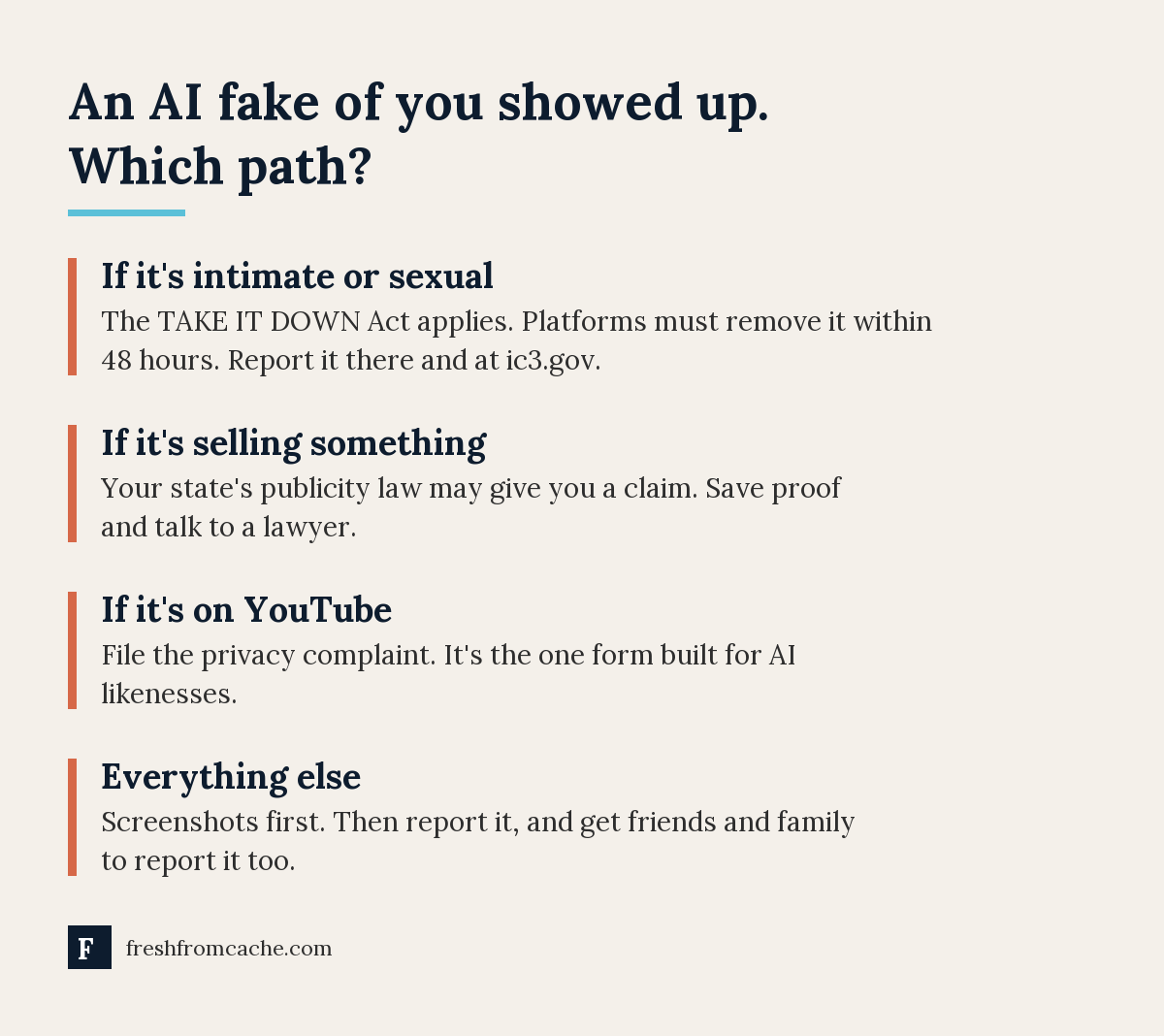
Your first move depends on what the fake is doing:
- It's intimate or sexual: skip to the intimate-imagery section below. This category has a federal law behind it and moves fastest.
- It's selling something: report it as a scam ad where it ran, and read the lawyer section. Money changing hands is what turns this from a grievance into a claim.
- It's on YouTube: use the privacy complaint. It's the one big platform that has a form written for this.
- Anything else: report it on the platform where it lives, recruit help, and document. The advice from the parent post still holds up: outside those first three lanes, persistence and attention do more than anything else.
YouTube
YouTube's privacy complaint covers AI content that "looks or sounds like you," in those words, and has since 2024. You do not need a copyright claim, and filing one is not a copyright strike.
- You, or your lawyer, must file it. YouTube rejects reports from coworkers, friends, and family (a parent or guardian filing for a child is fine).
- Start at YouTube's Help page called "Protecting your identity" and follow the privacy complaint process. It's a guided form: it asks what the video is, where your likeness appears, and for the video link and timestamps.
- YouTube gives the uploader a window (48 hours when the policy launched) to remove the video or edit your likeness out themselves. Setting it private doesn't count.
- If they don't, YouTube reviews it against factors like whether you're identifiable, how realistic it is, and whether it's parody or news. Removal isn't guaranteed, but this is the strongest tool on any platform right now.
Facebook and Instagram
Meta's written policy for AI-generated media is to label it, not remove it, unless it breaks another rule. So aim your report at the rule it breaks:
- A fake ad is a scam. Tap the three dots on the ad, choose 'Report ad', and pick the fraud or scam option. That queue exists because scam ads cost Meta advertisers, and it moves faster than the impersonation queue.
- A degrading fake is harassment. Report the post under bullying or harassment.
- The impersonation form only fits a fake account. If someone built a profile pretending to be you, use it (Instagram's version asks for a government ID). If a real account posted your fake face, it won't fit, which is most of why the parent post exists.
- Recruit reporters. Multiple reports from different accounts carry weight in Meta's systems. Ask friends to report the same post under the same category.
While you're in there, the one Instagram setting worth turning off is still worth your thirty seconds. It won't remove anything, but it stops one source of raw material.
TikTok
TikTok's own rules ban synthetic media showing a private person without permission. That's the strongest written policy of any platform, and it's the box to aim for.
- Press and hold the video (or tap the share arrow), tap 'Report', and pick 'Misinformation or AI-generated content'. If your version of the app words it differently, aim for the misinformation lane.
- Report the account too if it's a scam operation: 'Report' from the profile, 'Pretending to be someone' when that fits.
- There's also a web form at tiktok.com/legal/report/submit-requests, and it works with just an email address, no TikTok account needed. It only covers impersonation accounts, so it's the lane for a profile pretending to be you, not for a single video.
- Recruit help here too. Dr. Sholas's reports went nowhere until a newsroom asked questions. Numbers and noise are unfair tools, but they work.
X
X's rules prohibit misleading AI depictions of real people that can cause harm, and its impersonation form works without an account. File both when they fit, save your confirmations, and set your expectations. Enforcement is thin, and the policy's bar is harm, not consent. If the fake is intimate, don't fight it on X's terms at all. Use the federal lane below, which binds X the same as everyone else.
Snapchat
Snapchat has no AI-likeness category, but reporting is the same everywhere in the app: press and hold the Snap, Story, or ad, tap 'Report', and pick the closest fit ('False information and deceptive practices', or harassment). Non-users can file through Snapchat's support site. Reviews are fast, typically hours.
If it's intimate
Since May of this year, the TAKE IT DOWN Act requires platforms to remove intimate images, real or AI-generated, within 48 hours of a valid request. They also need to make reasonable efforts to remove copies. The FTC enforces it, at more than $50,000 per violation. Every big platform now has a dedicated form for this. Use the platform's own intimate-imagery report first, and say in it that you're making a request under the TAKE IT DOWN Act. On Facebook and Instagram, it's the last entry in the normal report menu: 'Reporting specific harms', with a 'Fill in form' link.
Two free tools go further by blocking re-uploads:
- StopNCII (stopncii.org) for adults. It explicitly covers deepfakes of you. Your device generates a digital fingerprint of the image (the image itself never leaves your phone), and participating platforms block matches.
- Take It Down (takeitdown.ncmec.org) for anyone under 18 in the image, or adults whose images were taken when they were minors. Same fingerprint idea, run by the National Center for Missing and Exploited Children.
Report it at ic3.gov as well, the FBI's complaint center, with your evidence file. And if a minor is involved, that's a police report, today.
Getting it out of Google
Google removes fake explicit images of you from search results: the form is in Google's Help under "Request removals of explicit or intimate personal images". It wants the links and your screenshots, and a successful removal also demotes explicit results on searches for your name. Google's 'Results about you' tool now watches for this proactively. For a fake that isn't explicit, Google has no removal tool. You have to report it at the platform that hosts it.
When to call a lawyer
One question decides if it's worth it: is your likeness selling something? If yes, your state's right of publicity law probably gives you a real claim. A lawyer's demand letter to a US company gets more attention than any reports you file. Bring the evidence file you built in step one, the product link, and anyone who saw the ad and believed it. Do your best to show any concrete harm you incurred. If the fake is harassment from an anonymous account with no money involved, a lawyer probably can't help yet, and the platform reports above are your best bet.
Last week's post ended with the advice to take your screenshots before anything else. This is why. Save the proof, pick the right report lane depending on what the fake is doing, and recruit help. The forms aren't perfect. Filed in the right order, with the evidence attached, they're your best chance.
Sources:
- YouTube Help: Protecting your identity
- YouTube Help: Privacy Complaint Process
- Meta Newsroom: Our Approach to Labeling AI-Generated Content and Manipulated Media
- TikTok Community Guidelines: Integrity and Authenticity
- X Help Center: Authenticity and synthetic media
- Snapchat Support: How do I report abuse or illegal content?
- FTC: Complying with the TAKE IT DOWN Act
- StopNCII · Take It Down (NCMEC)
- Google Help: Request removals of explicit or intimate personal images