Why the robocalls about your Google listing won't stop
Put your business on Google and the robocalls never stop? Here's why it happens, why blocking fails, and what actually works.

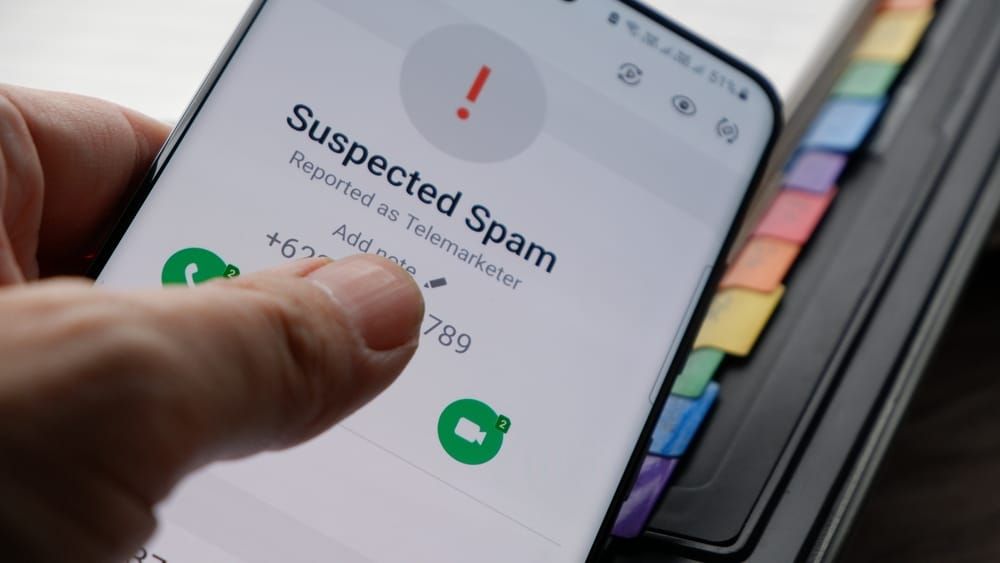
I registered my consulting business on Google a few months ago. Within days my phone was ringing every few minutes during business hours, always the same message: my listing can't be found, my profile isn't verified, my business will vanish from search unless I press 1 right now. I knew it was a scam by the second call. Knowing that did nothing to stop it.
The calls start because your Google listing is public and gets harvested on a schedule. The numbers are faked, so blocking is pointless. And every time you engage, you mark your number as worth calling again. The rest of this is why each of those is true, and the handful of things that actually cut the calls down.
What these calls actually are
They are lead-generation and fraud operations pretending to be Google. The script has more than a hundred variations, but the shape never changes: a made-up problem with your listing, a threat that customers won't find you, and an urgent push to press a number. Press 1 and a "specialist" sells you something Google gives away free, or coaxes you toward your profile login. Press 2 to "opt out" and you have just confirmed your number reaches a real person who responds, which is the most valuable thing a spam list can learn about you.
Hiya, a call-protection company, has documented this for years. Its honeypot (a network of unlisted decoy numbers that exist only to catch spam) captured more than 17,000 of these robocalls in a single span of a few months, on top of 2,000-plus user reports every month. Those decoy numbers belong to no business and no person at all, which tells you the callers are dialing blind, in bulk. And it has not let up; small-business marketers reported a sharp jump in these calls through late 2025 and into 2026.
For the record, Google never cold-calls owners to sell listing services or threaten a free profile. The only real Google call is one you asked for through your dashboard. Google has even sued over this. In 2022 it took an Ohio operation called G Verifier to federal court for charging owners $99 to "verify" free profiles and threatening to mark their listings permanently closed. Shutting one operation down does not slow the rest, because the model costs almost nothing to run.
Why it starts the day you list
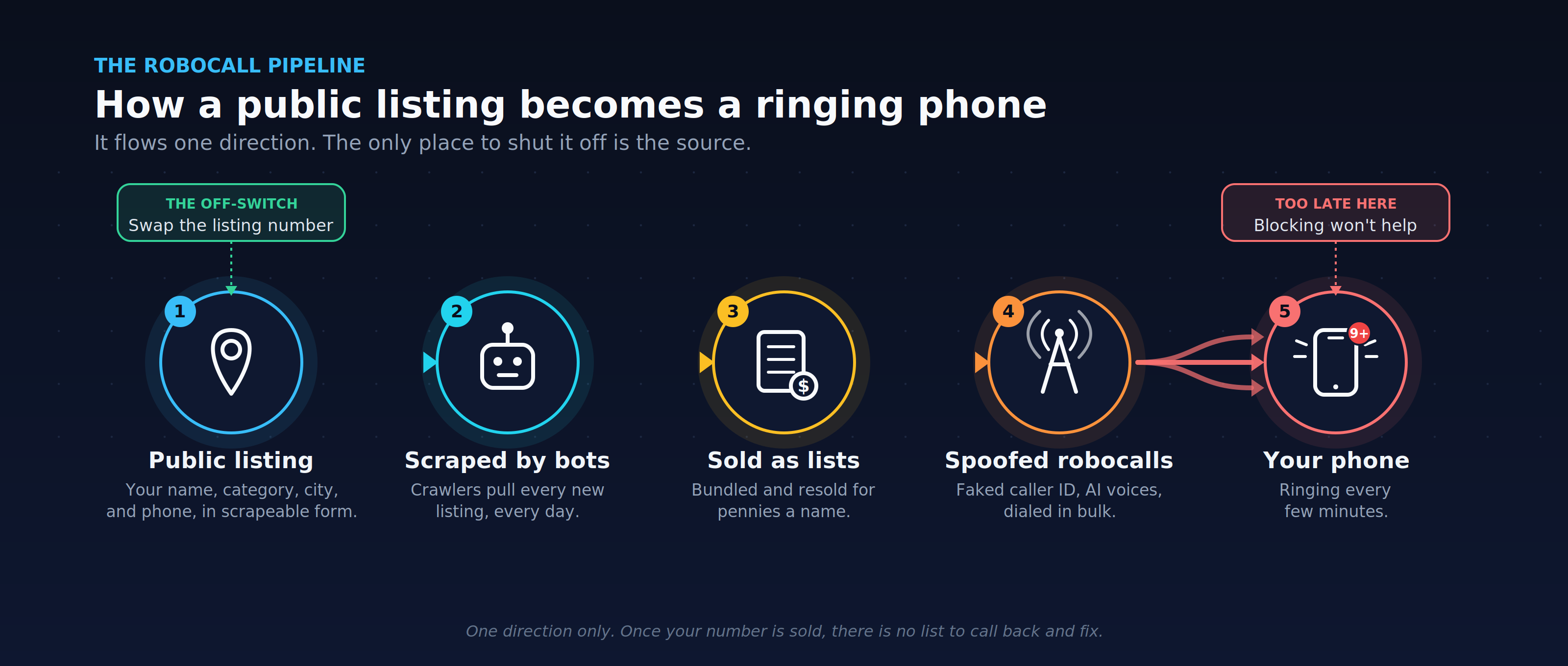
Your Google Business Profile is public by design. That is the entire point of it. Your name, your category, your city, and your phone number sit in Google's structured data in a predictable format, which is exactly what makes them easy to scrape (to pull automatically with software). Bots crawl Google Maps daily and pull every new listing. A real local business that answers the phone is a high-value lead, because someone actually picks up. So your number gets bundled into lists like "small business owners in Oregon," sold for a few cents a name, and resold through brokers you will never see.
You did not get targeted because you did anything wrong. You got harvested because you showed up in a place that scammers scrape on a schedule.
Why everything you try fails
I tried all of the obvious moves. Here is why each one failed.
Blocking does nothing. The numbers are spoofed, usually faked to match your own area code so you will pick up, and the supply is effectively infinite. Block one and the next call comes from a fresh number. It is the one tactic guaranteed to fail.
Arguing does worse than nothing. Berating the recording, playing along, feeding it fake details to "update" its records, all of it tells the system your number is live and answered by a human who engages. That is the single most valuable signal a number can carry, and it gets you flagged and resold. The "press 2 to opt out" option is the same trap wearing a helpful mask.
And there is no central record to correct. You might be picturing one caller with one database you can fix. It is an ecosystem. Your number was scraped once and sold across dozens of lists and brokers, so there is nothing to call back and change.

The new part: the voice seems real
Here is what changed, and it is the part that unsettles me. A year ago these calls were obviously robotic. Now the voice hesitates, says "um," corrects itself, and answers back if you talk to it. Some of them pass for a distracted human having an ordinary day. That realism is the upgrade. It buys a few extra seconds of your attention before the pattern gives it away, and those seconds are where people get caught.
This is the same AI impersonation I wrote about in Fake face. Real money., just pointed at your phone instead of a finance department. The law has noticed. In February 2024 the FCC ruled that AI-generated voices count as "artificial" under existing robocall law, which means an operation blasting these at you without consent is already breaking the rules, and the FTC shut down several AI-robocall outfits in a 2024 enforcement sweep. The catch is that "illegal" and "stopped" are two different things. These operations spoof their caller ID and route through carriers that do not ask questions, so the law has not slowed this down at all.
What actually works
You cannot win this with the block button. What works is cutting off the source and keeping everything else away from you.
- Get your real number off the public listing.
- Whatever number sits on your profile is what gets scraped, so set up a free Google Voice number and make that your profile's primary phone, the one customers see and tap. There is no two-number confusion: customers only ever reach that one number, and your real cell goes in the secondary slot, which is for Google's records, not a second "call us" line.
- Set the Voice number to forward to your phone, so real calls still ring you and you answer normally, and turn on Voice's spam filter so the robocalls to it drop into a spam folder instead of ringing through. This will not silence today's calls, because your real number is already on the resale lists.
- What it does is stop your real number from being harvested again and give the public line a filter you control. (Heads up: Google sometimes reviews or delays a number change, and a fresh Voice number with no other web footprint can trip that review.)
- Let unknown numbers go to voicemail, and let your carrier block what it can. This is the real lever, and it is the opposite of answering. When a call is answered, even silently, the dialer can mark your number as a live line and call it more; when it rings out to voicemail or hits a "not in service" wall, you become a worse target. So do not pick up unknowns. Real customers leave a message, and so will Google on the rare call you asked for. On top of that, turn on your carrier's network blocking (Verizon Call Filter, AT&T ActiveArmor, T-Mobile Scam Shield), which can stop known-bad numbers before they ever ring. It stays a step behind fresh spoofed numbers, so it thins the calls rather than ending them.
- Report it, then let it go. File at reportfraud.ftc.gov and use Google's own scam-call report form. It will not stop your calls today, but it feeds the enforcement that has already shut some of these operations down.
A word on Call Screen, since it is tempting. On a Pixel, Google's assistant answers the call and makes the caller explain themselves, which is great for never having to talk to a scammer. But notice that it answers the call, and to a dialer doing answer-detection that can still read as a live line. It also never hands over the dangerous signal, a human pressing a key or saying "yes," so it is far safer than picking up yourself. Treat it as triage that protects your sanity, not as the thing that shrinks your call volume.
Don't leave Google
Do not take your business off Google. The listing is genuinely useful, the harvesting is the cost of being findable, and pulling it hands the scammers a win without getting your phone back. Your number is already out there. Do what you can, and try to refrain from yelling at the AI.
Joel
If you're getting these too, I'd like to know how bad it's gotten for you. Reach me at joel@freshfromcache.com.
Sources: Hiya, "Scam of the Month: Google Business Profile scam" (blog.hiya.com); Google's 2022 lawsuit against G Verifier (US District Court for the Southern District of Ohio, Nov 2022); Google Business Profile Help, "Help protect against fraudulent calls"; Google Voice Help, "Block calls & messages or mark as spam"; FCC Declaratory Ruling recognizing AI-generated voices as "artificial" under the TCPA (Feb 8, 2024); FTC "Operation AI Comply" (Sept 2024); Sterling Sky, on hiding or swapping the phone number on a Google Business Profile.