Google will tell you when your address shows up in its search results
Google's Results about you tool watches Search for your address, your phone number, and since February your driver's license and Social Security numbers. Here is what it pulls down and what it will not touch.

Google your own name sometime. Not for vanity. Search it the way somebody trying to find you would, with your town added, and see what comes back. Do it in an incognito or private window, so you are not looking at results shaped by your own account and your own search history.
For most of us it's a page of those people-finder sites. They sometimes list your age, the street you live on, the names of your relatives and a phone number that may or may not still work. None of it is secret, exactly. It's just been collected and stacked up in one place where anybody can read it.
Google has a tool that watches for that on your behalf. It's called "Results about you," it's free, and you set it up once. Google says more than 10 million people have used it.
The tool doesn't scrub the internet. It watches Google's own search results for details you tell it to look for, tells you when it finds them, and gives you a button to ask for the result to be taken out of Search. Watching is one thing, but it's blurrier when you request removal.
Setting it up
- Go to goo.gle/resultsaboutyou, or open the Google app, tap your profile picture, and choose "Results about you." The hub also lives at myactivity.google.com/results-about-you.
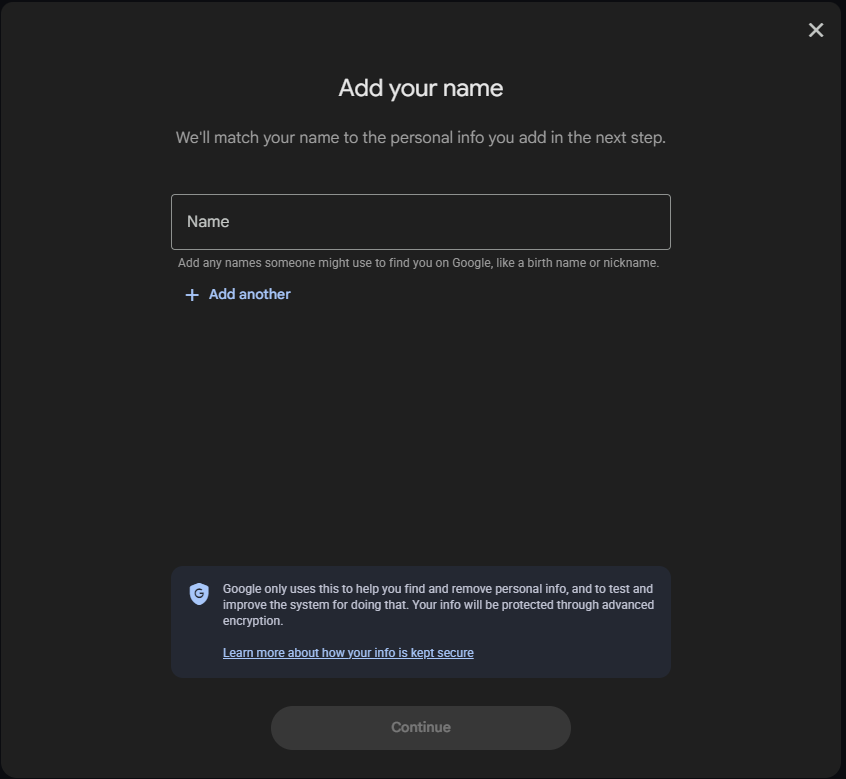
- Add what you want watched. Google takes your name plus a nickname or a maiden name, and it takes more than one of each contact detail. So put in every phone number, home address, and email address you have used.
- Add your government ID numbers too. Since February, Google also monitors for a driver's license, a passport, or a Social Security number showing up in Search.
- Turn notifications on. Google says matches show up within a few hours of setup, and after that it emails you or pings the Google app when something new appears.
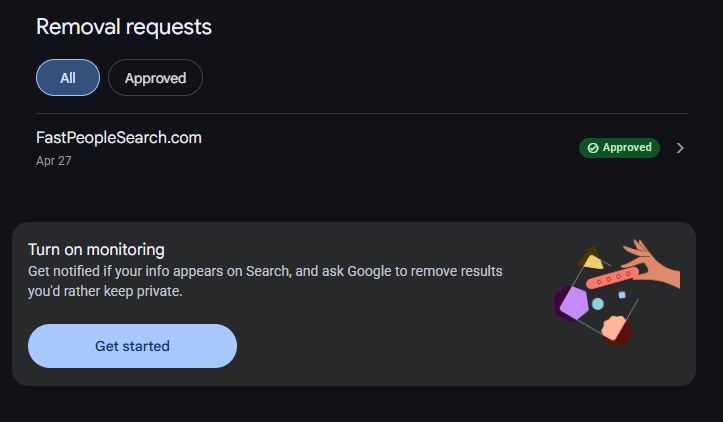
Then you wait, and the results come to you. When one arrives you open it, look at what the page is actually showing, and hit "Request to remove" on the ones you want gone. Google reviews each request against its policy and emails you what it decided.

You can also start a request straight from a search result. Tap the three dots next to it, open "About this result," and choose "Remove result."

What it will actually take down
Google's removal policy is broader than most people expect. Home address, phone number, and email address are the obvious ones. It also covers government ID numbers, bank and credit card numbers, pictures of your signature or your ID, medical records, and login credentials.
A removal comes in two strengths. Google can pull the result out of every search, or it can pull it only out of searches for your name, which leaves the page findable by other means. Google says the first one is what happens most of the time. The narrower one turns up when the page also carries something Google considers valuable to the public, or somebody else's details sitting alongside yours. It is still useful. Nobody is typing your bank account number into Google. They are typing your name.
What it can't touch
Google says it plainly on its own announcement page. "Removing this information from Google Search doesn't remove it from the web entirely."
The people-finder site still has your file. It still sells it. Anyone who goes to that site directly, or uses a different search engine, finds exactly what they found before. What gets removed is the shortcut.
There is a second limit that catches people. Google will not remove results from pages owned by educational institutions, government institutions, or newspapers. It treats those as public interest. So a county property record or a story in the local paper stays put.
For a real fix you need to go after the source, which means opting out at the data brokers themselves. That is slower and it is work. Do this one first anyway. It takes the results off the page where people actually look, and it keeps watching after.
Go look first
Before you set anything up, run the search. Your name, your town, in a private window.
Whatever comes back on that first page is the list you're working from, and it's the same list somebody looking for you will find.
What came up for you that you did not expect to be public? I'm curious which category surprises people most. joel@freshfromcache.com
Sources
How the tool works: Google Search Help, Find and remove personal info in Google Search results (the hub at myactivity.google.com/results-about-you; nickname, maiden name, and multiple phone numbers, addresses and email addresses; notification within a few hours; "Request to remove" in the hub and "Remove result" from a search result; removal from every query is what happens most of the time; the educational, government and newspaper exclusions)
What can come down: Google Search Help, Remove my private info from Google Search (the full list of removable information types, and removal from all searches versus searches for your name)
The February change: Google, Stay in control of your personal information online (February 10, 2026; driver's license, passport, Social Security number; goo.gle/resultsaboutyou; "Removing this information from Google Search doesn't remove it from the web entirely")
The 2025 redesign: Google, Protect your personal information and easily take action on outdated content in Search results (proactive monitoring, removal from the three-dot menu on a result, and the refresh request)
Paths and claims re-verified against Google's own pages August 28, 2026. The 10 million figure is Google's own, from the February 10, 2026 announcement. Screenshots: Joel Folgner.