AI tips for people who don't want to get left behind
The habits that make AI genuinely useful, written for regular people, not AI people. What to set up, what to watch out for, and why it works.


A bookkeeper I know told me she wants to start using AI because she doesn't want to fall behind. I hear this same sentiment a lot now. I also hear the same three complaints from people who already tried it: the writing comes out generic, the whole thing feels clunky, and sometimes it just makes things up.
All three complaints are true and valid. The last one even has an industry name, hallucination, which is a fancy way of saying the AI can be confidently wrong. That happens. It has happened to me.
Those problems shrink to something you can manage once you change how you work with it. A couple of months ago I wrote up the basics, the handful of ways AI could save a regular person some time. That piece still works as a starting point. This is the next layer. These are the habits I actually use, and more importantly, why each one works. You don't need to be technical for any of them, and this is no professional's guide to AI. It's about making the thing more useful to an everyday person.
Why most people quit first
An AI chat starts as an empty text box. That's all you're welcomed with. It's like handing someone a blank sheet of paper and saying "make something good." A hammer at least suggests nails. A text box suggests nothing, so most people type a question or two, get a mediocre answer, and decide the whole thing is overhyped.

The tool has no purpose until you give it one. Every habit below is a way of giving it one.
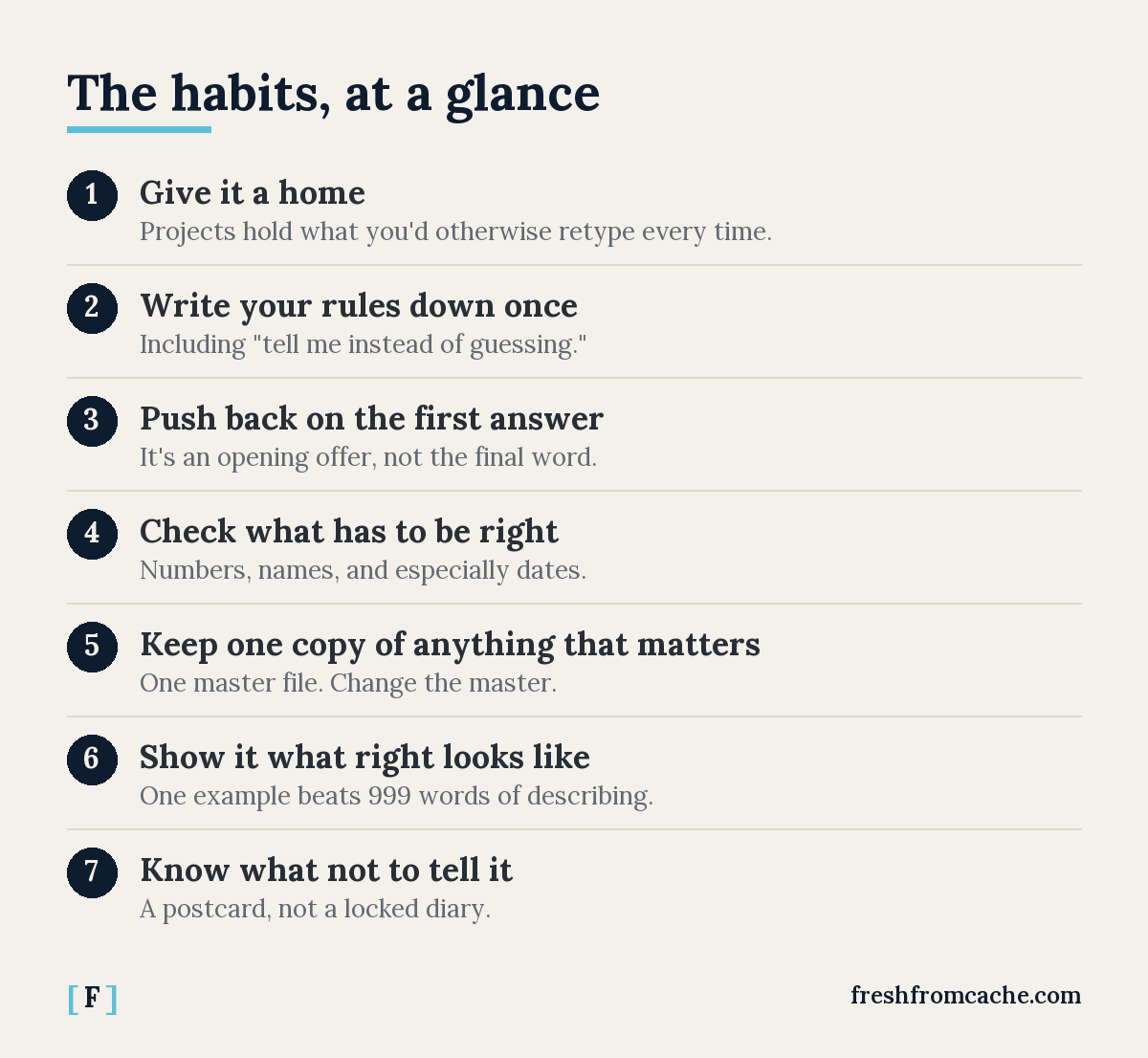
Give it a home
Most AI tools now have a workspace feature where you put a few documents once, and every chat inside it starts already knowing them. ChatGPT and Claude both call these projects. Gemini calls them Gems. Whatever the name, the idea is the same: what you do, who it's for, your logo files, a price sheet, examples of your writing, the stuff you'd otherwise retype or re-upload every time.
Why it works: the AI has limited memory. It tries to store some things about you, but left on its own it can be scattershot. You end up having to treat every new chat like someone who just walked in knowing nothing about you. A project is how that person gets up to speed on the way in.
I learned this the hard way. Early on, I spent a whole session getting some documents formatted exactly how I wanted them. Then the chat hit its length limit and I had to start a new one. The new chat produced documents that looked nothing like mine. I told it to look at the old chat. I pasted pieces of the old conversation in. It never got back to what I had. The work lived in the conversation, and the conversation was gone.
So there is a second half of this habit: keep a notes file that lives outside the chat. When you and the AI settle something, a format you like, a decision you made, a template that finally works, have it write that down in the file. The next chat reads the file and picks up where the last one stopped. The chat is temporary. The file is permanent.
Two ways to run it. If your files are connected (more on that near the end), the AI updates the file itself. If you'd rather not give it that access, the low-tech version works fine: have it write the notes, save the file yourself, and swap it into the project when it changes. Clunky, and it still beats losing everything with the chat. Once I moved the important stuff into files, losing a chat stopped costing me anything.
Write your rules down once
Every AI tool has a settings box for standing instructions, rules it applies to every conversation before you start typing. It's easy to miss if you aren't aware of it. It's the highest-value five minutes in this whole piece. Tell it who you are, how you like things written, and what it should never do.
Then add the one line that earns its keep more than everything else combined: "If you aren't sure about something, tell me instead of guessing."
Why it works: these tools are built to give you an answer. A confident tone is the default setting, right or wrong. That line gives it permission to say "I don't know," and permission is all it needs to work.
One more line for some added safeguards: "Before you start on anything big, ask me questions first." A person given a vague assignment asks what you meant. An AI given a vague assignment gets to work on assumptions. That line makes it act like the person.
A cousin of that line: tell it to flag gaps instead of filling them. If it's editing something you wrote and a word is missing, you want a question, not an invented word you didn't write. Same rule, same reason. The made-up-facts problem doesn't disappear with these instructions, but in my experience it drops from "constant background worry" to "rare enough that the next habit catches it."
Push back on the first answer
The first answer is an opening offer, and most people take it. Say "shorter." Say "less formal." Say "you missed the part about the deadline." Three rounds of that takes a minute and usually lands somewhere good.
And pushback goes beyond writing. Push back on an answer you doubt. Ask it to explain itself. My favorite: tell it to run a fresh online search and make sure its information is current, because these tools will happily answer from stale knowledge if you let them. Pushback makes it check itself, and checking itself is half the job.
One more trick: take an answer from one AI and feed it to a different one, even a free one, and ask what it thinks. You don't have to trust the second AI either. But when you aren't quite sure about your primary, a second opinion is cheap and it surfaces things worth a closer look.
Why it works: a chat session is a conversation, but most people treat it like a vending machine. One prompt, one answer, walk away disappointed. The tool is built to refine on feedback, and the second and third passes are where the generic wears off. If a reply misses badly, it's usually faster to reword your request and try again than to argue it out of the hole.
Check the things that have to be right
Numbers, dates, names, prices, deadlines. Anything you'd be embarrassed to get wrong, you verify yourself before it goes anywhere.

Why it works: the AI sounds exactly as confident when it's wrong as when it's right. Tone carries no information. People get burned because a warm, fluent answer feels true, but feeling true is worth nothing. I treat it like a sharp new employee: great output, and everything with a number in it gets a second look. Trust, but verify. I've caught real ones this way, a wrong deadline in a draft, a claim stated as fact that turned out to be one person's say-so. I've written before about how the friendlier an AI sounds, the more you should distrust it. The rule scales with the stakes: a dinner idea probably needs no checking, a tax deadline needs plenty.
Keep one copy of anything that matters
One master file per important thing. Not "newsletter_final_v2_ACTUAL." When something changes, change the master. (And anything you'd call a master belongs in a real backup, but that's a piece I've already written.)
Why it works: the AI will cheerfully work from whatever copy you hand it, including an old one. I once watched it redo work that was already done and contradict a decision that was already made. This was because it was reading a stale copy of a file while the current one sat somewhere else. The AI wasn't being dumb, just obedient to the wrong instruction. One master, and tell it to re-read the file right before it changes anything. Versions drifting apart is a people problem that AI makes faster.
Show it what right looks like
These tools copy examples far better than they follow descriptions. You can describe the logo you're picturing in 999 words and get something off the mark every time. Hand it one example image and it gets the idea immediately. The same goes for a spreadsheet layout, a flyer, an email. If you have something close to what you want, lead with it and say "like this."
The same move works on writing. Paste in something you wrote that you actually liked and say "match this." And if AI writing's flavor grates on you, keep a list of words and phrases that annoy you and tell it to avoid them. You probably know a few already, words like "delve" and "leverage" and "game-changer" that almost nobody says out loud. Add to the list the moment something new grates on you. Mine has grown for months and it's one of the most useful files I own.
Why it works: "make it casual" gets you a generic idea of casual, because a description leaves the AI guessing at everything you didn't say. An example answers a hundred questions at once. The generic flavor people complain about is mostly the sound of an AI that was never shown anything specific.
Know what not to tell it
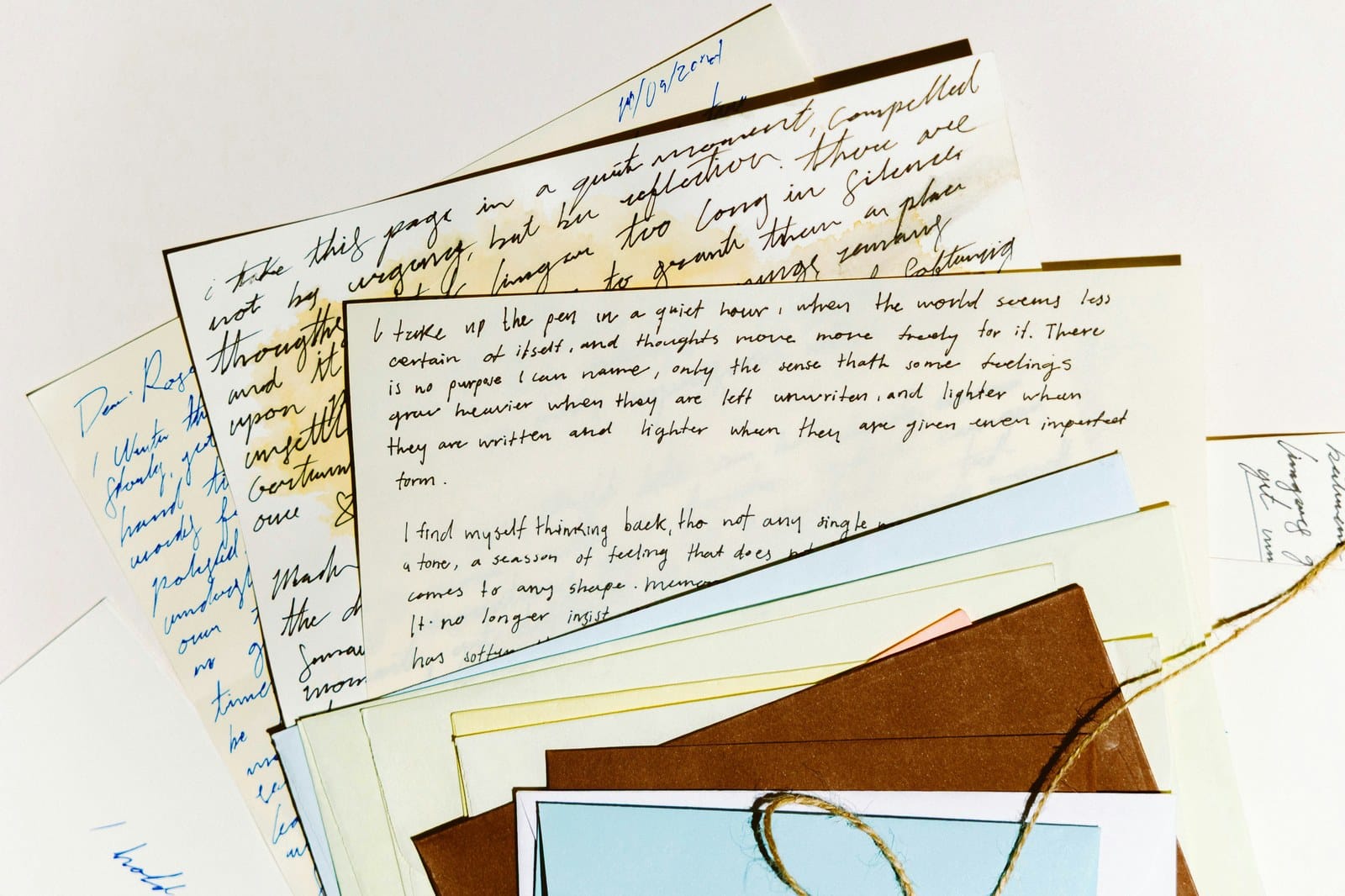
Treat a chat like a postcard, not a locked diary. Keep out the things that identify or expose you: account numbers, passwords, Social Security numbers, medical details, other people's private information. This doesn't fight the examples habit. Your writing voice and your logo aren't secrets. Your account numbers are.
Why it works as a habit and not just a warning: on free tiers especially, what you type can be used to train the company's models, and once it leaves your keyboard it's out of your control. You lose almost nothing by keeping details generic. "Help me write a dispute letter about a billing error" works exactly as well as the version with your account number in it. The AI needs the shape of your problem, almost never the identifying parts.
Sometimes the job really does involve the sensitive stuff. Two things help. First, check your tool's data settings: paid plans and training opt-outs change what happens to what you type, and the defaults differ between tools. Second, when the AI has to work with a sensitive document, connected file access you can limit and revoke beats pasting the contents into a chat, where they sit in your history forever. Neither one makes anything invisible. The AI still reads what you give it. What you gain is control over what it can see and for how long, and the postcard rule stays the default for everything else.
The clunkiness is shrinking
The other big complaint, the copy-paste shuffle between the AI and everything else, is getting better on its own. AI tools now connect directly to the services people already use, places like OneDrive, Google Drive, calendars, and email. Instead of pasting a document into a chat and pasting the result back out, the AI opens the file, works on it, and saves it. The clunkiness mostly came from the swivel chair between windows, and that part is disappearing.
One rule before you connect anything, and it's the postcard rule with extra steps: only connect what you'd be comfortable letting it read. Give it the folder with your templates, not the folder with your tax returns. Convenience is real, but you have to draw your line.
You don't have to love it
I'm not telling people they need to be using AI. I've written about where it deserves real skepticism. But it's mainstream now, the way email and smartphones went mainstream, and "I'll just skip it" is becoming a choice with a cost.
If you were curious, the habits above are enough to start with a purpose instead of a blank sheet of paper. And if you tried AI, got the generic clunky confidently-wrong version, and wrote the whole thing off, it wasn't you. You just got the out-of-box experience without an instruction manual. Now you have one.
Sources
- OpenAI, “Projects in ChatGPT” — ChatGPT’s projects feature, available on free and paid plans.
- Anthropic, “What are projects?” — Claude’s projects: self-contained workspaces with their own knowledge bases and instructions.
- Google, “Use Gems in Gemini Apps” — Gemini’s version, including adding your own files under Knowledge.
- OpenAI, “How your data is used to improve model performance” — confirms consumer chats may be used for training unless you opt out, while business and enterprise accounts are excluded by default. Other providers publish their own equivalents; check the one you use.
All links verified July 23, 2026.